
Blockly Accessibility Improvement
Help us make block-based coding more accessible
Project Overview
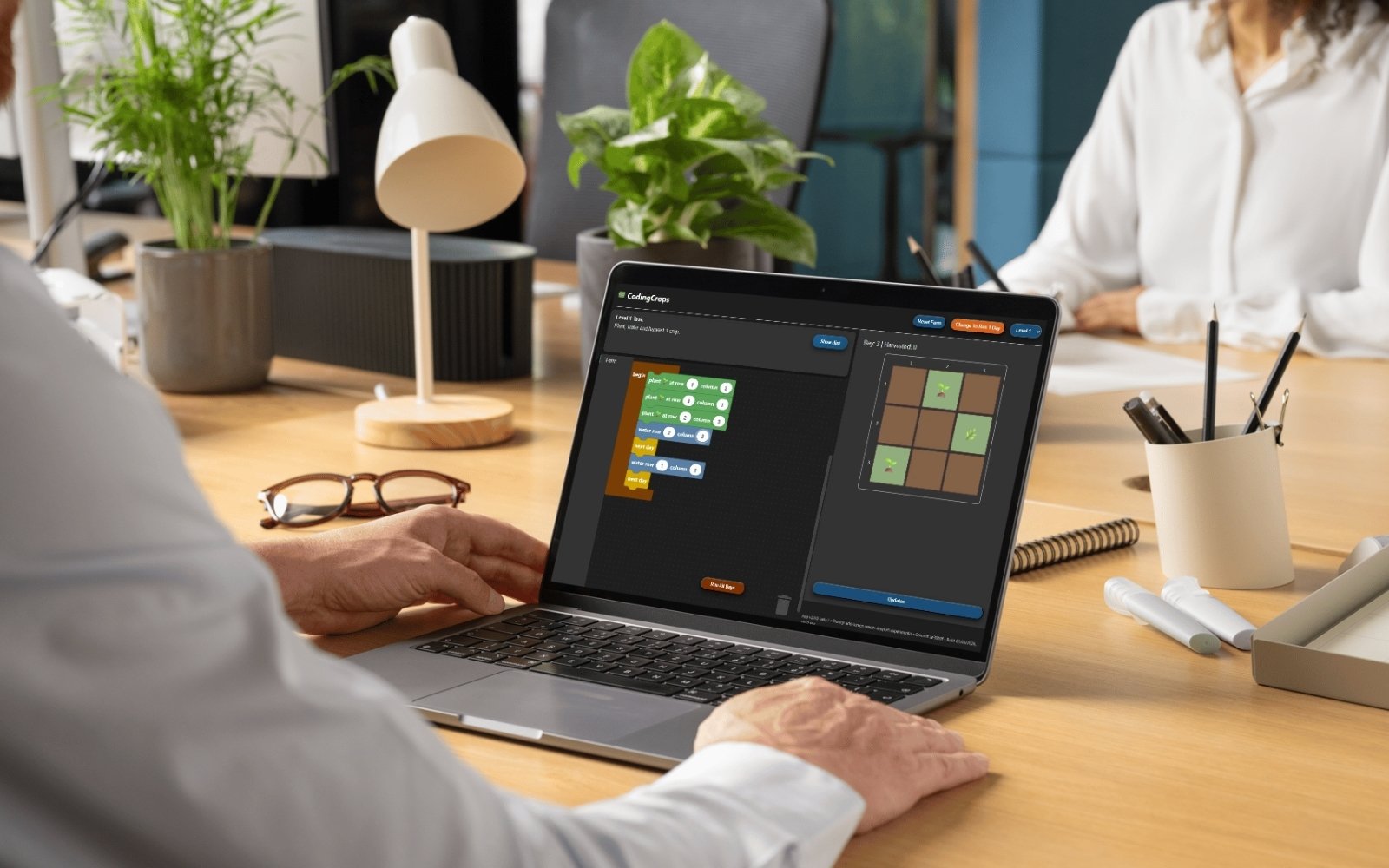
Makers Making Change is working to make block-based coding more accessible for people who use screen readers and other assistive technology. Through support from the Google.Org program via the Blockly Accessibility Fund, we developed CodingCrops, an accessible coding app built on Blockly. Blockly is an open-source developer library from the Raspberry Pi Foundation, originally developed at Google. It creates a visual programming interface that uses drag-and-drop blocks and is the library that powers platforms such as Scratch and Microsoft MakeCode for micro:bit.
We conducted accessibility testing with youth and adult screen reader users, as well as assistive technology professionals. Participants shared feedback about their coding experience, including what worked well and where barriers still exist.
This feedback was shared with the Blockly team to support ongoing accessibility improvements. These improvements are helping make block-based coding more inclusive and accessible for a wider range of learners and creators.
CodingCrops
CodingCrops is an accessibility-first farm simulator designed to introduce programming concepts through a game-based experience. Built with a strong focus on inclusive design, the app was designed to support keyboard navigation and be compatible with screen readers, making block-based coding more usable for learners with disabilities.
CodingCrops was created to facilitate user testing using the latest version of Blockly. We needed to be able to test changes as they were being made, instead of waiting until other apps implemented these changes, and needed to know if accessibility challenges were due to Blockly core or a choice made in the app. Furthermore, in most existing apps while the code could be read by a screen reader, the code output could not, so we wanted to create an app where the entire process could be accessed by those using screen readers.
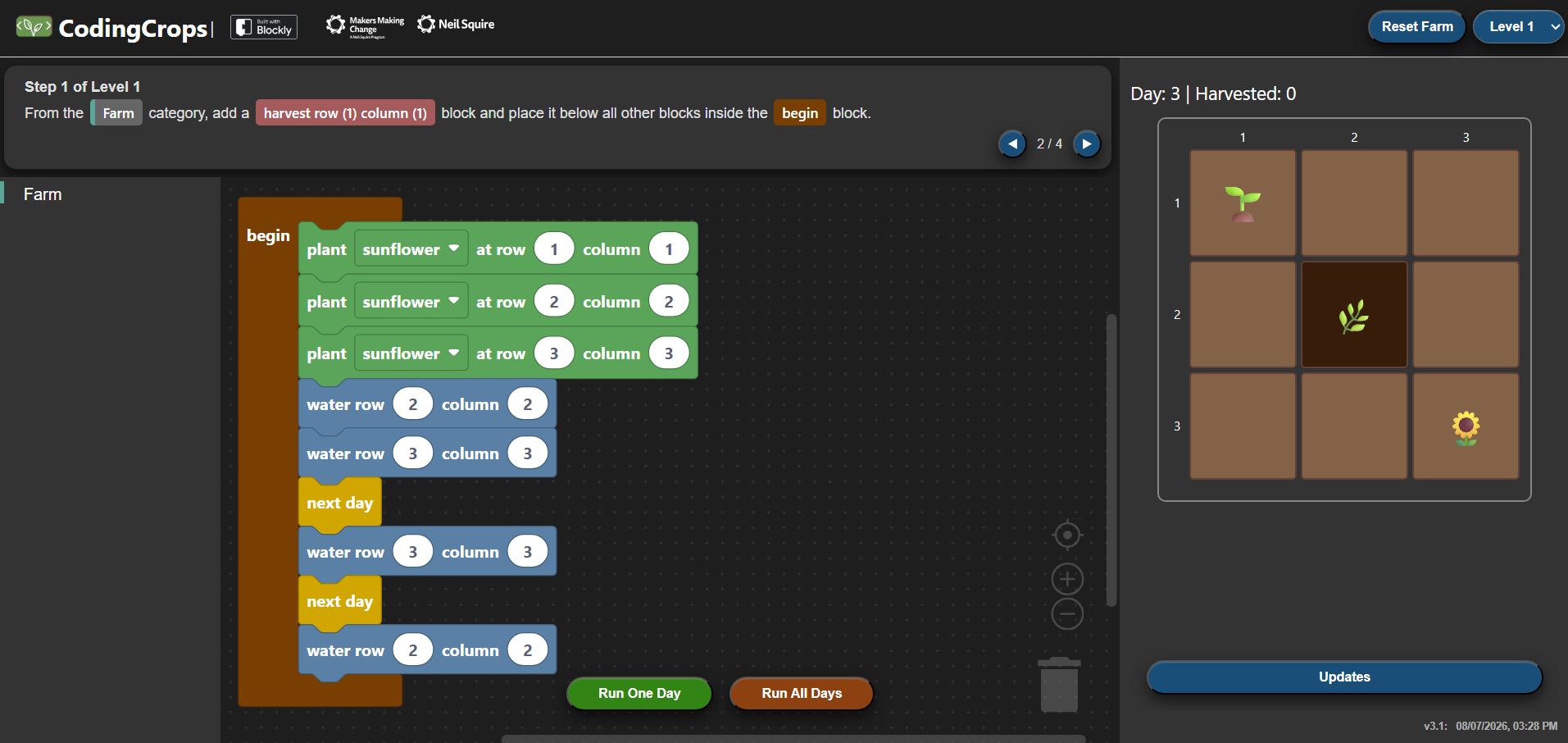
In CodingCrops, learners use block-based coding to plant, water, and harvest crops. As learners progress through the levels, they are introduced to new coding concepts that they can use to grow more crops in different ways, including loops, variables, functions, and more.
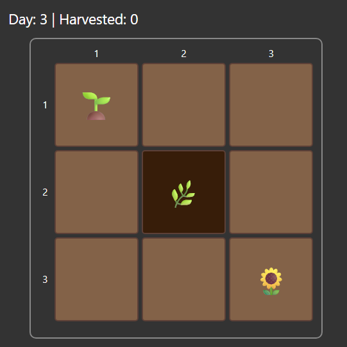
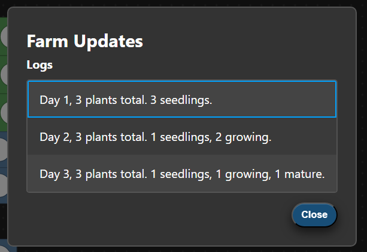
All crops are planted in a 3 by 3 grid which is also screen reader accessible, allowing more learners to experience the same coding environment. In addition to being able to navigate the farm grid and hear what is planted, farm updates are also read out to screen reader users when the code is ran and can be found listed out through the Updates button.

Accessibility Features and Considerations in CodingCrops
Accessibility has been a key consideration from the very start of the creation of CodingCrops. Specifically, accessibility for those using keyboard navigation and screen readers, since that is what the current focus is for the accessibility development at Blockly. Below we will outline a few of the features and considerations that were incorporated into CodingCrops to make it more accessible.
All crops are planted in a 3 by 3 grid, which is keyboard navigable using the arrow keys. When screen reader users navigate the farm grid, status updates are read out on each farm plot, and there is a sound to indicate the end of each row and column. We wanted users of our app to be able to not only navigate and understand their code, but also the output of that code.
To hear a more detailed explanation of what has happened in the code, users can go to the Updates button, which has logs for the status of the farm at the end of each day. Here, the user can see how many crops were at each stage of growth on each day. They can navigate this list with their keyboard, and it can be read out by screen readers.
Throughout the app there are auditory cues, such as sound effects for all users, and carefully considered read outs for screen reader users when actions have been completed. There are announcements for when the farm is reset, the level has been changed, or when the code is done running. Additionally, when the code has been run, a summary of the current state of the farm is read out.
To help keyboard users navigate the page quickly and easily, frequently used actions have been assigned keyboard shortcuts and added to a list of commands called the command palette. Users can simply open the command palette using a keyboard shortcut and then either search for the action or use arrows to explore all commands.
The app was also designed with high colour contrast to improve readability, particularly for those with low vision.
Lastly, the overall layout and focus order of the app were designed with keyboard navigation in mind. We wanted the order to be intuitive, going from the instructions to the code, to the Run buttons, to the code output; and we wanted commonly used elements to be next to each other to make it easier to go back and forth between them.
Project Activities
Throughout the course of this project we have:
- Phase 1: Tested keyboard navigation with 2 accessibility specialists and provided feedback to the Blockly team
- Phase 2: Tested screen reader usage with screen reader specialist and provided feedback to the Blockly team
- Phase 3: Created a custom Blockly app called CodingCrops, to use for testing
- Phase 4: Tested screen reader usage internally with our team across 4 popular screen readers (JAWS, NVDA, Narrator, and VoiceOver)
- Phase 5: User testing rounds 1 and 2
- Tested with youth screen reader users, adult screen reader users, and AT professionals specializing in screen reader usage
- Participants used the screen reader of their choice which included JAWS, VoiceOver, ChromeVox, and NVDA
- User testing was done via video call, where participants were observed while completing a series of tasks on the CodingCrops app and asked questions about their experience
- Provided feedback to the Blockly development team through GitHub Issues and Discussion posts.
A selection of notable feedback given from user testing:
- Feature Recommendations:
- Minimize Mode Switching: Avoid requiring users to toggle the virtual PC cursor or browse/scan mode on their screen reader while using the app, as needing to do this so often is uncommon and unfamiliar, especially to new screen reader users.
- Contextualize Input Fields: Ensure all inputs clearly state what the value represents so users know what they are editing.
- Simplify Positional Language: Replace the language used to describe the position of a block with more intuitive phrasing for a younger audience, such as describing a blocks new position as “moving after (block name)” or “moving inside (block name)” instead of “child of (block name)”.
- Clarifying language in Shortcut Menu: Improve clarity in the shortcut menu by reading out the full name of a keystroke instead of spelling out the abbreviation and clearly stating what the navigation keys do.
- Inconsistencies Across Screen Readers: Various bugs or inconsistencies were discovered through testing on multiple screen readers
- Validation of New Features: user testing showed that new features added by the Blockly team such as shortcuts to provide more context about the block currently in focus, and the earcons that were added, were helpful to screen reader users.
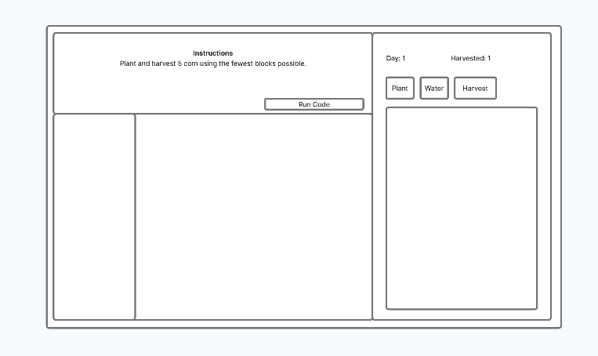
A wireframe mockup from the early stages.
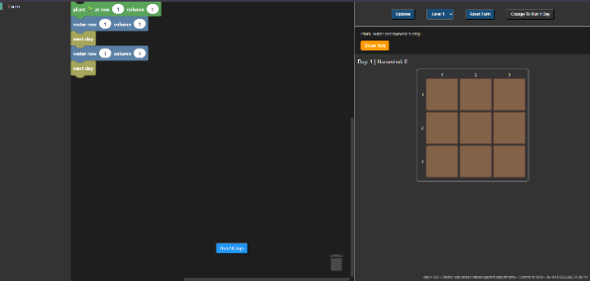
Version 1.0.0
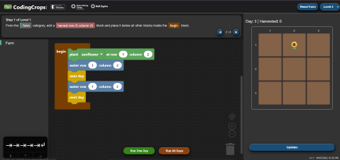
Version 3.0.0
Ongoing and Future Work
We are currently wrapping up v3 of our CodingCrops app, and working on a short introduction to coding lesson plan using CodingCrops. Our hopes with this is that it allows both students with and without disabilities to learn to code using the same app and the same lesson plan.
If you are a teacher who is interested in this lesson plan, for now, please reach out to us at info@makersmakingchange.com. In the coming months, this lesson plan will also be released for all to use.
Summary
Everyone deserves to be able to access coding education, and that often begins with block-based coding. Through collaboration with the Blockly team, user testing with screen reader users, and the development of the CodingCrops app, this project is helping advance the accessibility of block-based programming for a broader range of learners, and specifically screen reader users.
