
Navigating the Club Wanted List
The club wanted list is live for club leaders. This is a space where club leaders can see device requests from community members. Below are the steps on how to navigate the club wanted list.
When you are logged into your MMC account click the Clubs that Care tab and select the Club Portal. Here you will see the open club wanted list. If you find a device that is of interest for your club and want to take on the build you will click the take on request button.
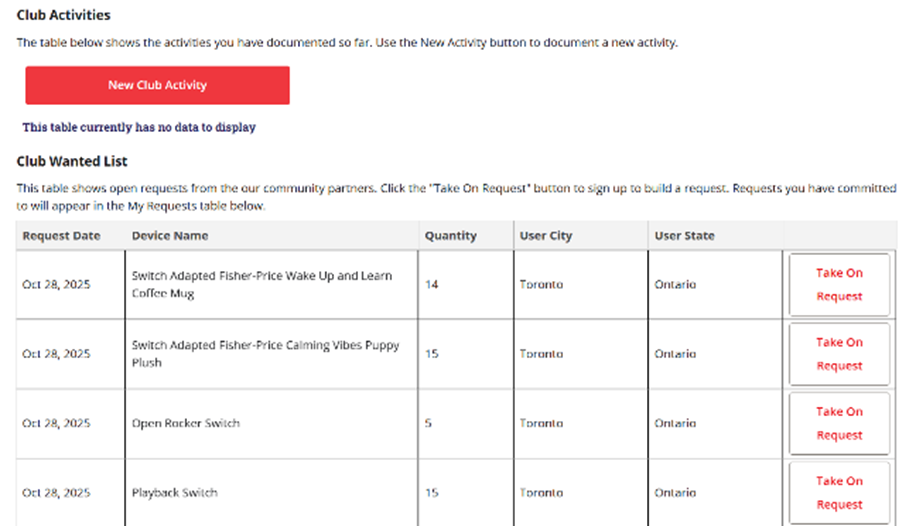
A pop-up/confirmation screen will appear and give you the option to confirm the device request. You will also be able to see if there were any other notes on the devices requested. You also can click into the device under the assistive devices tab to explore the BOM to tell you what materials will be needed as well as explore the instructions on what is needed to build a device.
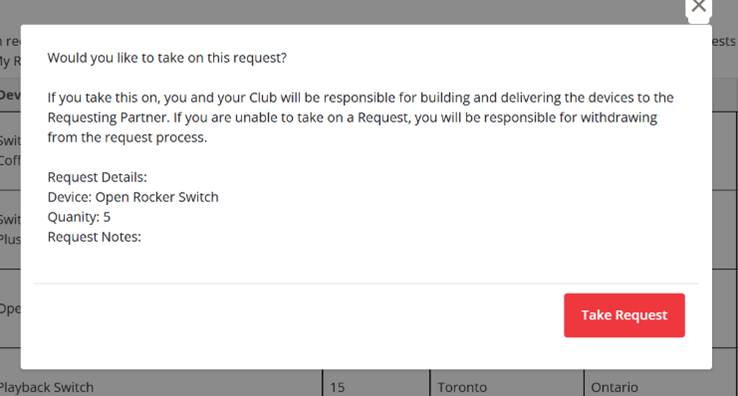
If you are happy with the build and requirements click the red Take request button. You will then see a finish button. Once you have confirmed taking on a request an automated email will be sent between you and the requester. This is a space were you can discuss a device. For example if you want to replace a toy selection due to unavailability.
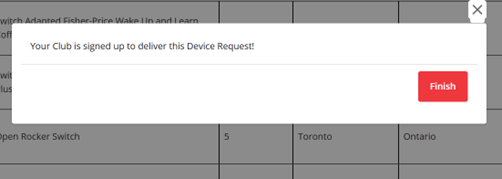
You can take on multiple requests to help fill the minimum 20 devices to complete for your grant.
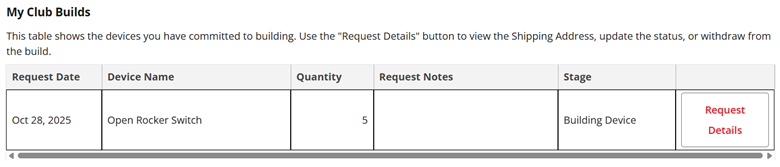
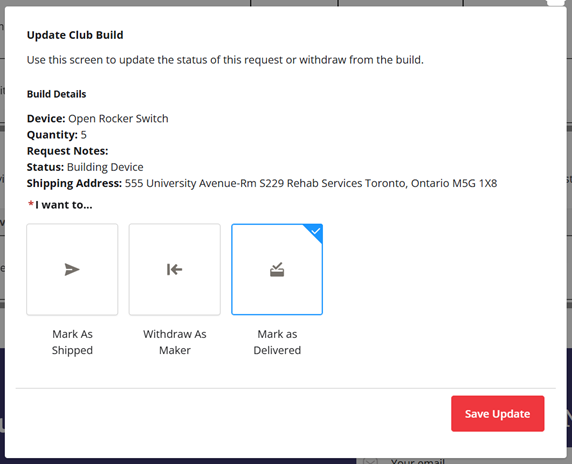
Automated emails will be sent periodically to check in on the progress of the builds you have taken on. If you are no longer able to fulfill a request you can open it back up for other club leaders. After you finish up your builds you can open the request details button to see the shipping address and to mark your devices as shipped and delivered. Reminder you can use Clubs that Care grant money to cover the cost of shipping the devices.
If you have any questions please reach out info@makersmakingchange.com