
Event Examples
Here is a chart that showcases some examples of devices to build at events:
All devices and device details can be found under the assistive devices tab on the Makers Making Change Website.
|
Switches |
Joysticks |
Other |
Toys |
Low Tech |
|
Low Profile |
Oak |
Battery Interrupter |
Bubble |
Reading Bars |
|
Rocker |
Spruce |
Switch Latch |
Character |
Bag Carriers |
|
Raindrop |
Forest Hub |
Dice Roller |
Light |
Blister Pack Opener |
|
Light Touch |
Ivy |
Single Message Playback
|
Movement |
Writing Aids |
|
Interact |
Birch |
Switch Tester |
Vibration |
|
|
MMC 60 |
Aspen |
Open Playback Recorder |
|
|
|
Unibody |
|
|
|
|
Event Example
“Scheana completed an application to become a Clubs That Care leader. After being accepted, Scheana spoke with some of her teachers and found a mix of assistive devices (like the reading bar, as well as switches and dice rollers) that would be helpful in some of the other classrooms in her school. Next, Scheana explored the build instructions and list of materials for her devices and worked to put together her purchase orders. Scheana then began printing the 3D prints for her devices. Scheana also ordered the materials her school did not have, including some new solder kits. Scheana wanted to ensure she had all the materials delivered and printed before she booked an event date. Once the materials were complete, Scheana built a poster for an after-school event. Scheana made sure the space had tables, chairs and plug ins. Scheana reviewed the event checklist and prepared the slides for the safety and build instructions. After completing her event, Scheana completed the online portal, submitting her receipts and tracking the number of attendees and devices made.”
Steps to find the files you need to build a device
- Ensure you are logged into your mmc account
- Click the assistive devices tab of the website
- Search your build example: low profile switch
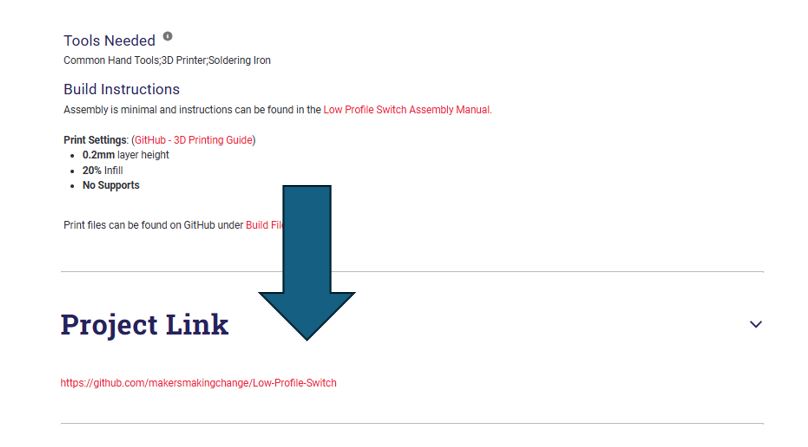
- Click into the device and scroll until you find the project link.
- Click the project link, if the project is on GitHub you will find
- Build Files: This is where you will find the 3D print materials
- Documentation: This is where you will find the Maker/Assembly Guide and the Bill of Materials (BOM)
Shopping Kits for Parts:
Raindrop, Light Touch, Rocker Switch, Low Profile Cart: https://www.digikey.ca/short/j592pdbq
Interact Switch: https://www.digikey.ca/short/927mnd8w