
Five Assistive Devices to Improve Digital Access
Today is Global Accessibility Awareness Day (GAAD).
Devices like computers, smartphones, and tablets have become so vital in our everyday lives, whether we’re using them to work from home, or simply to stay connected with our friends and family.
The ability to access these devices is something many take for granted.
But for people with disabilities, barriers can make these devices hard to use or completely inaccessible. If you have limited to no use of your hands, having to use a mouse and keyboard is an enormous barrier to using a computer. You might face similar troubles using a touchscreen on a smartphone or tablet.
To celebrate GAAD, we wanted to highlight some of the open source devices in our assistive device library that can help you access computers, smartphones, and tablets.
LipSync
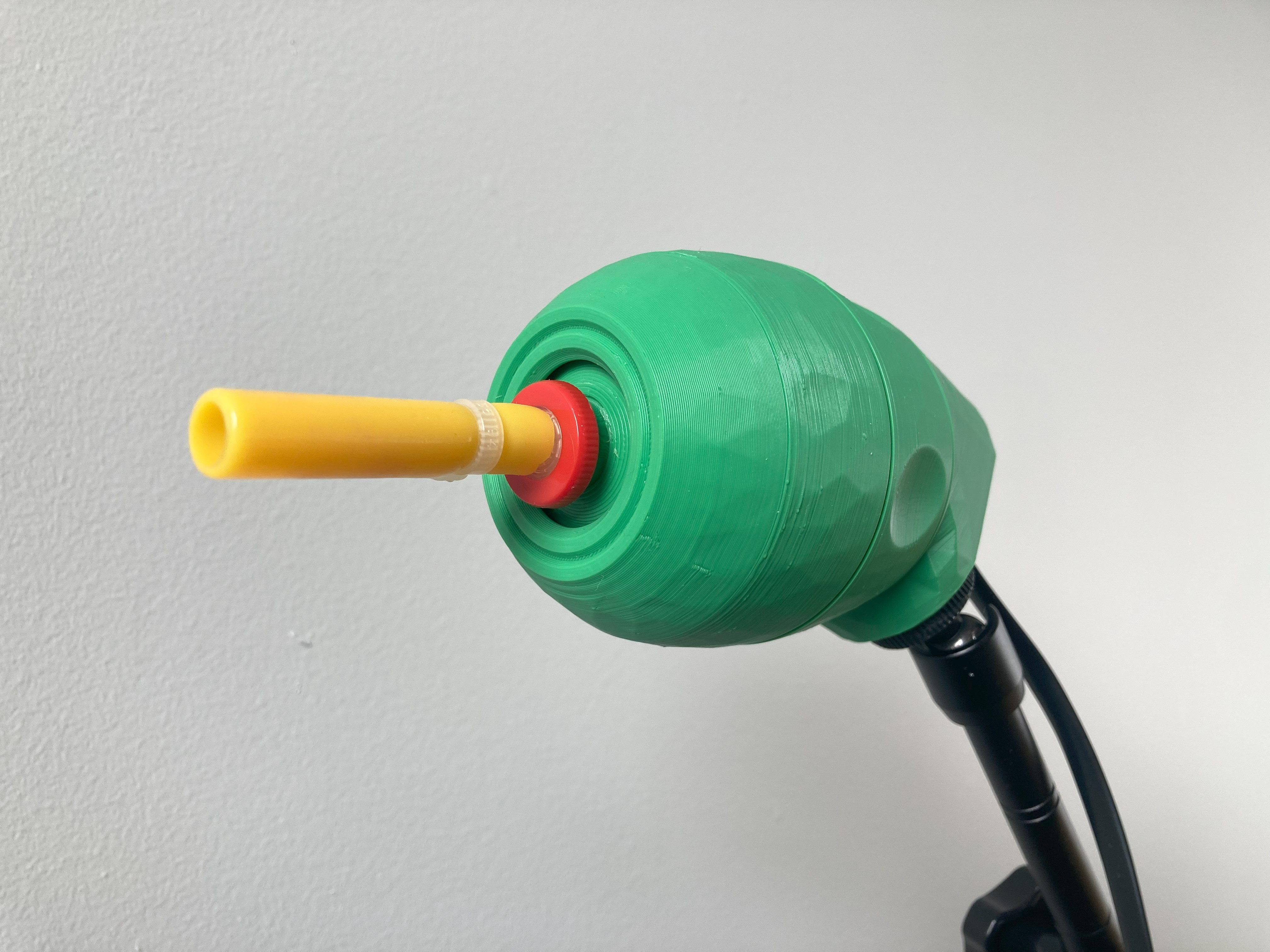
Need to operate a computer, smartphone, tablet, or game controller without using your hands? The LipSync might be the device for you.
The LipSync is a mouth-operated sip-and-puff joystick that can emulate a mouse, a wireless Bluetooth mouse, or a gamepad. It enables people with disabilities that have limited upper body mobility to control a computer, gaming console, smart phone, or tablet. The mouthpiece is attached to a precision miniature joystick sensor that requires very slight pressure in order to move a cursor on the screen. By sipping and puffing into the mouthpiece, you can click on items and navigate your device.
Customizable 6th Finger/Toe Stylus
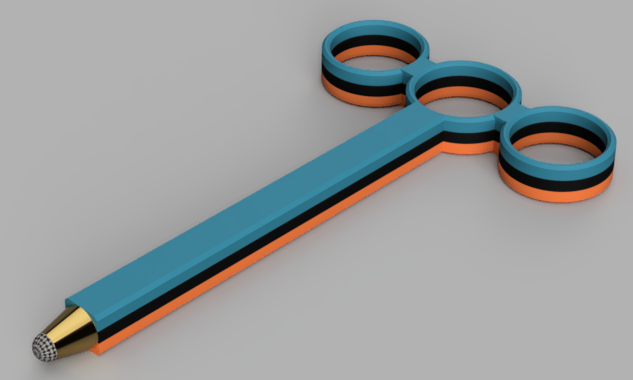
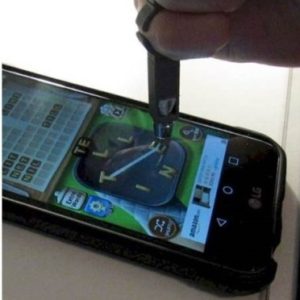
The Customizable 6th Finger/Toe Stylus may help someone with low hand or finger dexterity use a touchscreen device. The device is custom designed to fit two or three of your fingers or toes, allowing you to control a stylus that you can use to control a touchscreen.
A similar device in our library — the Customizable Universal Cuff Stylus — fits over your fist, instead of individual fingers or toes, which might work better if you have no fingers, limited grip, hand strength, or dexterity.
Keyguards
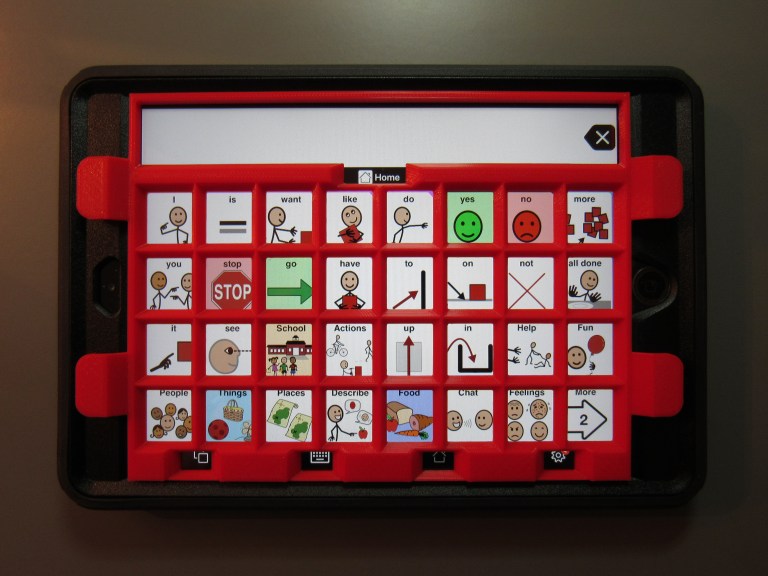
Keyguards are plates that you can put over your tablet or keyboard that make it easier to hit the right space on your touchscreen or the right key. By limiting access of the device to the spaces cut into the plate, keyguards make it a lot easier for people with limited fine motor control to hit the right spot.
While they can be used for a wide variety of purposes, keyguards are often used with Augmentative and Alternative Communication (AAC) apps on tablets and iPads, allowing people with speech and language impairments to communicate more easily.
Keyguards are custom typically need to be custom-designed for their purpose, particularly when they’re used for AAC apps. In our assistive device library, we have a wide variety of customizable designs for keyboards and tablets.
Raised Keyboard Letters
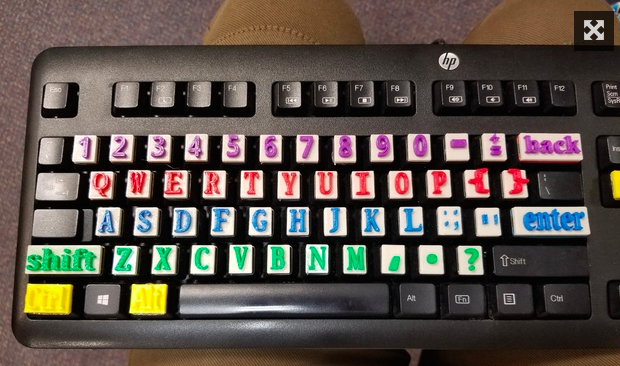
This device is an overlay of important keyboard features geared toward students who are visually impaired based on feedback by vision therapists. This tactile keyboard, printed with a 3D Printer and attached to a standard keyboard with hot glue, enlarges letters to more than 200% of their original size on a standard keyboard, and can be color coded.
In addition to the overlay with raised letters, we have a version in our library with raised Braille alphabet, for visually impaired users proficient in Braille.
HP Mouse Overlay
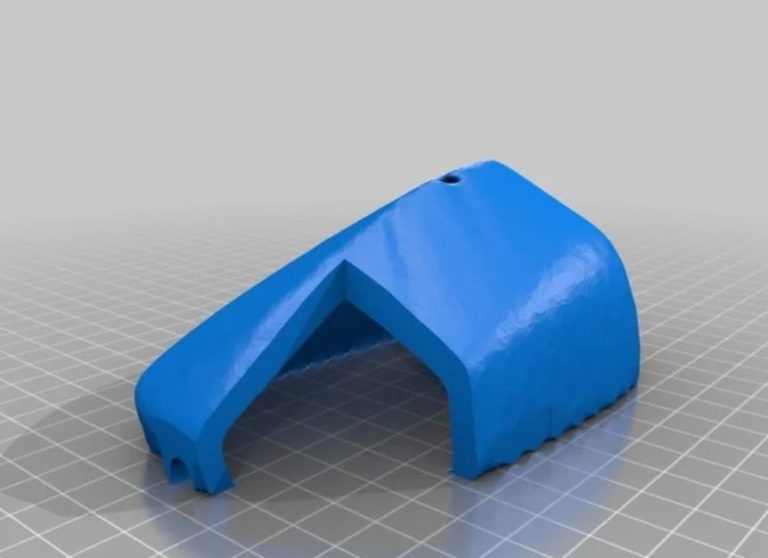
This low tech 3D printed device blocks off the use of the right click on a computer mouse to make it easier to operate a mouse. People with fine motor needs often right click instead of being able to focus only on the skill of left clicking. By blocking off the right click function, this can help you use a mouse without the frustration of accidently clicking the wrong button.
These are just five options in our Assistive Device Library, which currently has over 200 devices.