
Part 3: Accessibility in Video Games and Gaming Goals

Accessibility in Video Games and Gaming Goals
Introduction
Video games can be intimidating for someone who is unfamiliar with the gaming community. Users who recently need assistive technology (AT) to game or have used versions of AT their whole life but have not gamed will benefit from an overview of gaming to eliminate that barrier. Knowing what is out there in terms of categories, playstyles, and platforms is a crucial part of forming one’s comfort level with gaming. This resource will explain these concepts as well as provide questions to perform a self-assessment for gamers wanting to create their own gaming setup. This will form an individual’s gaming goal and will help identify which assistive technology and genres of the game could be a good starting place. The following topics are covered in this resource:
- Introduction to Gaming Platforms
- Introduction to Gaming Genres
- Accessibility in Video Games
- Identifying a Gaming Path
This page is a part of a series on adaptive gaming. Please visit the other resources in the series if you are looking to learn more:
- Introduction to Adaptive Gaming
- Assistive Technology in Gaming
- Accessibility in Video Games and Gaming Goals (you are here)
- Adaptive Gaming Demos and Recommendations
Gaming Platforms
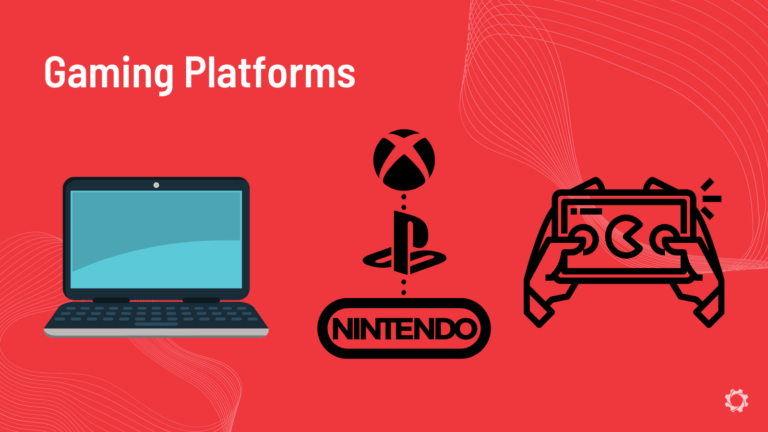
“Where and how can I play video games?” is a common question for new gamers. Mainly gaming platforms are broken up into three main categories of console, PC, and mobile.Console
Gaming on a console means that an individual has purchased a device (or console) that is developed specifically to play video games. The common console brands of today are PlayStation, Microsoft’s Xbox, and Nintendo. Each console has its own controllers of different shapes and sizes as standard input. Often, these controllers cannot be used interchangeably without the use of an adapter. The controller can be adapted to be more accessible, or the input can be changed to mouse and keyboard or software based.
Games are bought for these systems either in a physical form on a video game disk (sold at electronics stores) or on the console themselves within their built-in digital stores. Each of these console brands have various generations of consoles that have been developed throughout the years. A chronological list of these can be found at the links below:
- XBOX
- Playstation
PC
PC stands for personal computer and thus, are video games that are played on the computer. Any type of PC can play games, but for the most part PC’s using the newest operating system of the Windows operating system are the best for gaming. Most computer-based games are not made for computers running MacOS software. PC games standard input is the keyboard and mouse. Although, these can be adapted for controller use, switch use, or software inputs.
Games are bought online and downloaded on the computer. Common platforms for this are Steam and Epic Games Launcher. These are applications that can be downloaded onto the PC where games can be bought and installed.
Mobile
Gaming can also be done on mobile devices like phones and tablets. These games are bought from the app stores on either IOS or Android devices. These use touch controls for inputs but can be adapted for controller use, switch use, or even software for inputs. Mobile gaming is often the most cost-effective gaming option as phones are common devices and the games in the stores are often cheaper than PC or console games.
Gaming Genres and Compatibility
Gaming is a large industry with many different types of games and connectivity. Games fit into common genres as well as having different compatibility for playstyles. Genres of a game are about the type of game it is, whereas compatibility describes how the game can be played across different platforms.
The different compatibility of video games is commonly described by the below terms:
- Crossplay: A game that allows gamers playing on different platforms to game together. For example, an Xbox gamer playing the same game with a PlayStation player. It is important to understand that the different generations of these Consoles can matter as well. Also, crossplay can mean PC or mobile gamers can play with console gamers.
- Cross-platform: A game that is available on multiple platforms but does not necessarily mean that gamers can play together. Some games are available on all platforms but do not allow crossplay.
- Multiplayer: If a game has multiplayer features, this means that an individual can play online or with someone on the same platform. This does not mean that the game is crossplay or cross-platform.
Games and Accessibility
Picking Games
Understanding the different genres and platforms is important for accessibility as some of these are more easily accessible than others. Often, the question comes up of “what are easy games to play accessibly?” this is a good question, but we propose to think of this differently. Instead, let us think of “which games allow for the experience the gamer wants with the inputs they can provide?”. Every gamer is different in the assistive technology they will need to game and their interests in gaming. The less the number of inputs needed for a game, greatly increases the accessibility of a game.
Although, some gamers will want to play games that involve many inputs. This is not impossible, but just requires more solutions and often creativity. But as a new gamer, games with simplified inputs can be a great option for the initial exploration and testing of games.Using simplified inputs means playing games that do not require a lot of buttons or joysticks to control the games. Common games with simplified inputs are driving, fighting, and platformer games. Driving games only require an input for applying the gas and a joystick to control the car. While there may be other features in driving games, such as breaking and drifting, these can be added to the setup as the gamer feels comfortable. Fighting and platform games are also a great option for new gamers as they often only require an input for left and right (either with a joystick or switch) and then a button for attack and jump.
More complex games such as first person shooters (FPS) or adventure based games often have a lot of inputs needed. Think of a standard controller, often they have up to 18 buttons and two joysticks on them. In these types of games, every input is used and sometimes simultaneously or held for long durations. If a gamer is unable to use a standard controller, a more complex gaming setup must be created to access all of the inputs.
Game recommendations
Below are some recommended free games and paid games that are available on many platforms. This makes these games good to trial and use to get familiar with your gaming setup. SpecialEffect’s also has created a list of simplified games.
Some users may also want to play games that only require one button access. These simplistic games only require one button to play and are great for a “cause and effect” style of game.
Identifying a Gaming Path

When a gamer is comfortable with their gaming and AT knowledge, it is time to begin thinking about what gaming can look like for them. A strategy for this is to take into account what the individual has available to game and different access options. If you want to review the AT options for gaming, please check out the previous resource in this series:
Assistive technology in Gaming
Setting a “gaming goal” or rather a benchmark in terms of what the individual wants to experience is a great starting place as it then allows one to work backwards to see what options can be used to achieve this. This also helps narrow down the options as it will indicate the platform, points of access, and games of interest. We have heard from users that they have bought several adapters, consoles, and controllers with no luck in getting a working setup. This process aims to combat that by identifying what types of gaming one may already have at their home to try out.
Disability professionals such as OT’s and PT’s are getting more involved with adaptive gaming. If you are looking to get a gaming set up and need support, bringing a list of the answered questions below can help identify what will work for you.
Creating a Gaming Goal
This process is intended only as an exercise to help relate the information in the four resources to your individual case. If you want to use this tool, please ask yourself and document the answer to the following questions:
- What type of gaming platform(s) do you have access to at the moment (mobile, PC, Console)
- What type of game genre would you be interested in playing (first person shooter, fighter, racing, adventure)
- What point(s) of access do you have that would be able to be utilized for gaming?
- Fingers
- Feet
- Hand(s) [Left/Right/Both]
- Arms
- Eyes
- Head
- Voice
- Other
- When you access digital platforms, do you use any visual accessibility options? (i.e., contrast, brightness, etc.)
Using this information, reflect on the gaming AT options that were described and think about which option would allow you to access the game. Think about the different inputs that are necessary for the games and which AT will allow you to effectively use that input without strain or fatigue. This may mean a simple controller modification to access all the buttons on a standard controller. This also may mean a combination of controller, switch, and software inputs to play the game.