
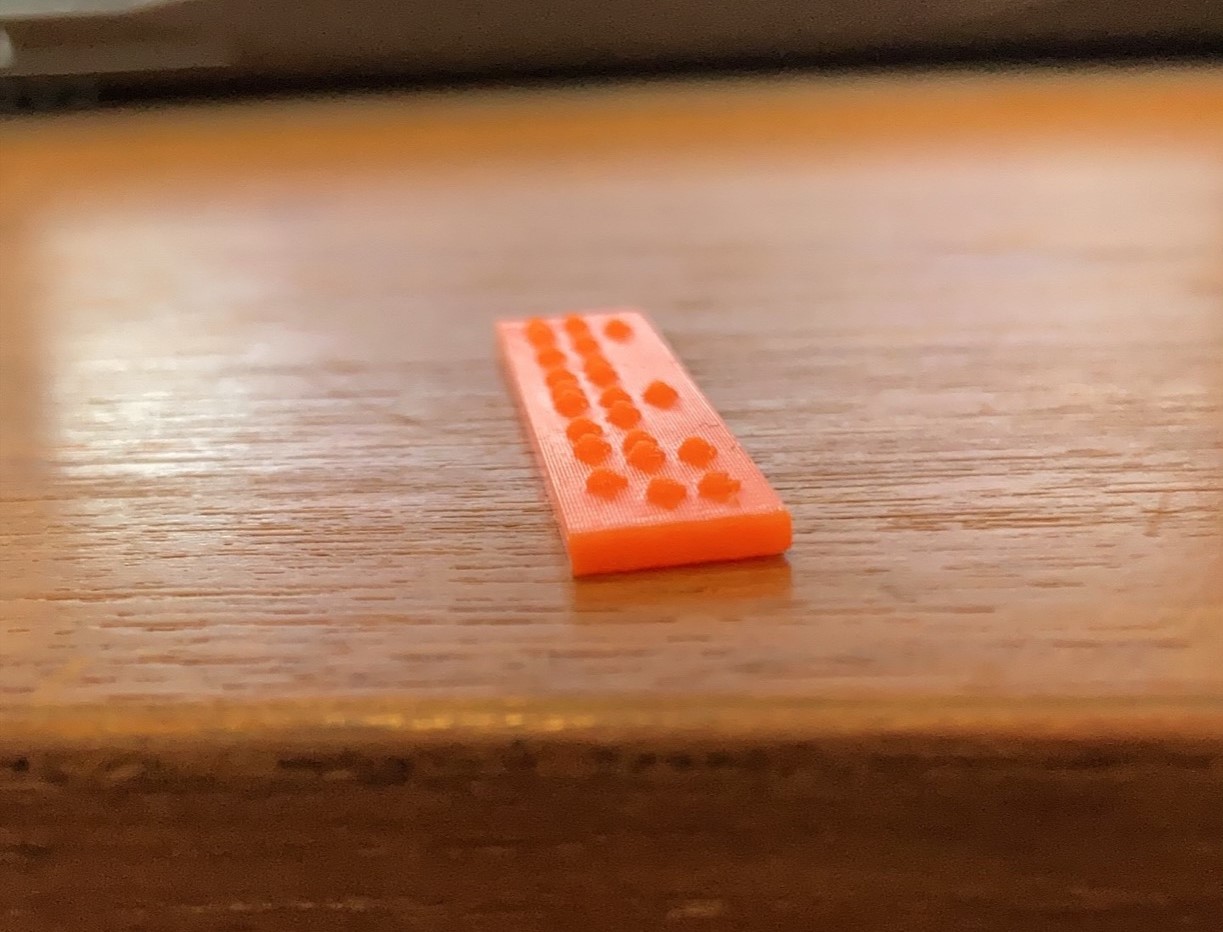
3D Printed Braille Labels
If you ever need to make something accessible with Braille, this customizable font module generates a 3D printable Braille label so you can adhere it to the desired object.
 3D Printing
 4
4 74
74 1
1 1.6k
1.6kDevice Information
Overview
The OpenSCAD Braille font module allows an individual to customize and create 3D printable labels with Braille. Labels can be adhered to walls beside entryways, on appliance buttons, and objects around a classroom.
The 3D prints are easy to generate, take a short time to print, and require little filament. The labels can also be added to other 3D printed devices to increase accessibility or printed for the user’s specific needs.
The OpenSCAD file can create properly spaced and standardized Braille letters, NEMETH numbers, mathematical operators, and some common contractions. Refer documentation of this project found in the above GitHub link contains instructions on how to use the OpenSCAD program to create these labels.
How To Use
The 3D printed Braille labels are intended to be used in the same way as standard Braille. The labels can be glued or stuck to various surfaces including walls, plastic surfaces, and metal. The Braille labels can also be incorporated in other 3D printed models as well, for example, on the side of another assistive device such as a switch.
Disability Type Description
This device is intended for people with limited or no vision who can also read Braille.
Estimated Cost (CAD)
Maker Information
Skills Description
The device is a beginner build difficulty that involves 3D printing.
Print Time (hrs)
0.5
Assembly Time (hrs)
0
Tools Needed
3D Printer
Build Instructions
The documentation includes guides for 3D printing, using the OpenSCAD software, and a video on how to use the OpenSCAD Braille template. If you are fulfilling this request for a requestor please take a look at the maker checklist document before you start the build to help you walk through the process.
Print Settings:
- 0.2 mm layer height
- 20% infill
- No Supports
All files and documentation are available via the Project Link / Download button.
Project Link
Please login or register to agree to the MMC Terms of Use to access the Project Link
License
Attribution
The original OpenSCAD script was created by Michael Cantino and Sean Tikkun.
Documentation by Neil Squire Society / Makers Making Change.
Reviews

There are no reviews for this device