
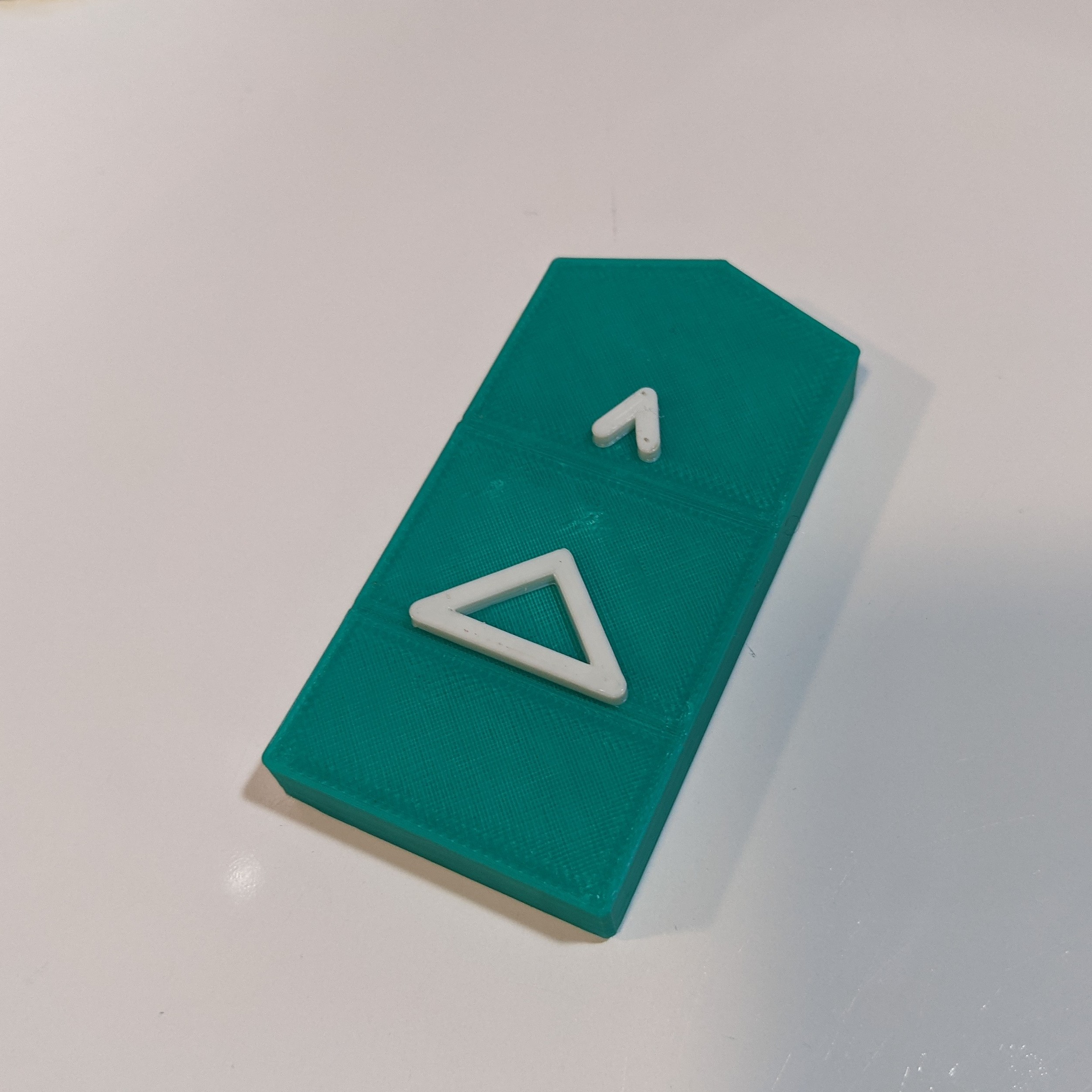
Bliss Tactile Symbols
If you're looking for a tactile communication tool, the Bliss Tactile Symbol allows users with visual impairment to communicate with others.
 3D Printing
 4
4 35
35 0
0 1.3k
1.3kDevice Information
Overview
The Bliss Tactile Symbols allow individuals with visual impairment to communicate through a tactile language.
Blissymbols, originally created by Charles Bliss in 1947, is an international and ideographic language that uses shapes and symbols to communicate a phrase. Though Blissymbols have traditionally been used in written form, they are uniquely positioned for use as a tactile language due to their simplicity.
Each symbol is a different shape to indicate the word class and includes a raised Blissymbol on the top surface. The symbols have optional areas for Braille and English words.
This device includes a collection of 242 3D printable Bliss Tactile Symbols and a detailed guide for creating custom symbols. These can be used on their own, or embedded with RFID tags to generate sounds or spoken words using the Voice-It device.
These symbols are similar to the Project CORE 3D Symbols but optimized for 3D printing and extendable.
How To Use
The individual communicating will identify the desired tactile symbol and pass it to their communication partner.
To help identify symbols, the top edge of the shape indicates the word class. A convex top edge indicates a noun, pronoun, or preposition; an angled-out top edge indicates a verb; an angled-in top edge indicated an adjective, adverb, or determiner; and a flat top edge indicates a series of symbols or phrase.
The symbols can also be differentiated using color:
| Black | Determiner |
| White | Conjunction |
| Red | Exclamation |
| Yellow | Pronoun |
| Blue | Adjective |
| Green | Verb |
| Orange | Noun |
| Brown | Adverb |
| Pink | Preposition |
| Purple | Question |
Disability Type Description
This device is designed for individuals who are blind, visually impaired, and may also have complex communication disabilities.
Estimated Cost (CAD)
Maker Information
Skills Description
This project involves beginner level 3D printing.
Print Time (hrs)
1
Assembly Time (hrs)
0
Tools Needed
3D Printer
Build Instructions
Detailed instructions for designing and printing the symbols can be found at the Volksswitch Site.
Refer to the listing on Thingiverse or Printables for 3D printing files and details for the set of 242 core vocabulary tiles.
Print Settings:
- 0.2mm resolution
- 10% infill
- No Supports
Project Link
Please login or register to agree to the MMC Terms of Use to access the Project Link
License
Attribution
Design and documentation by Volksswitch.org.
This device was inspired by the 3D tactile symbols created by Project Core at the University of North Carolina – Chapel Hill.
The tactile communication system is based on Blissymbolics, Mick D. Isaacson & Lyle L. Lloyd, Developmental Neurorehabilitation, 2015; 18(1): 47–58.
Reviews

There are no reviews for this device