
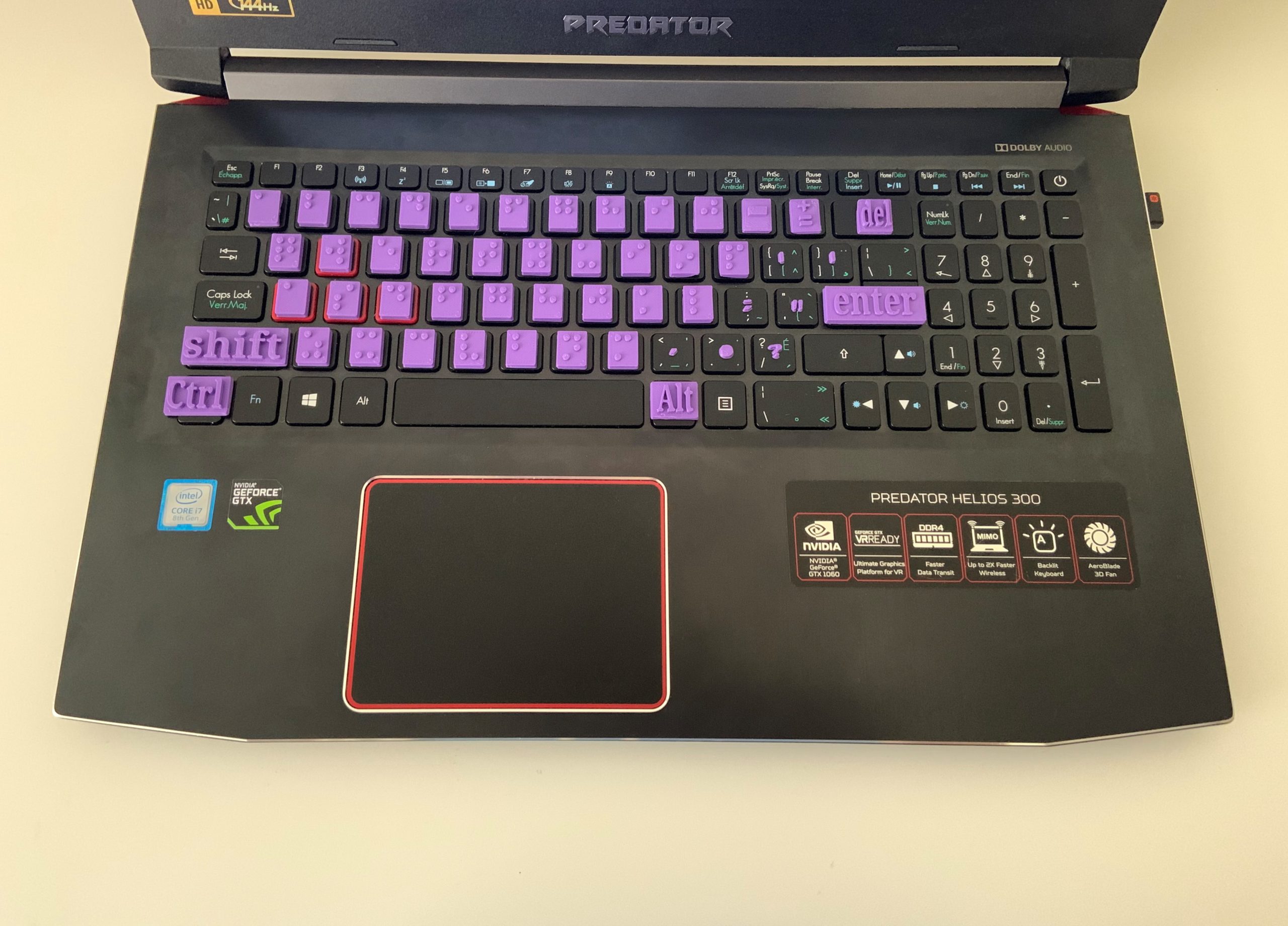
Braille Keyboard Overlay
3D printed Braille keyboard overlays to help students with visual impairment learn keyboarding.
 3D Printing
 5
5 43
43 0
0 1.2k
1.2kDevice Information
Overview
I am a technology integration specialist, and teach kindergarten-6th grade students. The initial design concept was a keyboard overlay in traditional English for kids with specific needs in my classroom who benefitted from the raised letters and color coding, as well as the increased letters. The photos show the original design of the raised keyboard in my classroom.
After finding Makers Making Change, I was excited to create a project that was beneficial to a greater audience, and easy to use. The letters can be printed in a single color for the Braille user, and affixed to a keyboard with hot glue. Even with almost 5 months of use in my classroom by two students, the letters haven't come off!
I enlisted my nine year old daughter's help in creating the Braille alphabet. I believe that empathy and compassion are a trained skill, and the earlier conversations start about helping others, the better!
In addition to the letters and numbers, the print file also comes with tiles for punctuation marks, shift, alt, control, delete, and enter.
How To Use
Glue the letters onto a keyboard over the keys and then use the keyboard as normal.
Disability Type Description
Braille learners with visiual impairment.
Estimated Cost (CAD)
Maker Information
Skills Description
This device only involves 3D printing with minimal assembling. It is recommended to print the tiles in a colour that contrasts the keyboard.
Print Time (hrs)
2
Assembly Time (hrs)
1
Tools Needed
3D Printer
Build Instructions
Affix the tiles on a keyboard using hot glue.
Print Settings:
- 0.3mm layer height
- 20% infill
- No Supports
- Use Rafts
Project Link
Please login or register to agree to the MMC Terms of Use to access the Project Link
License
Attribution
Reviews

There are no reviews for this device