
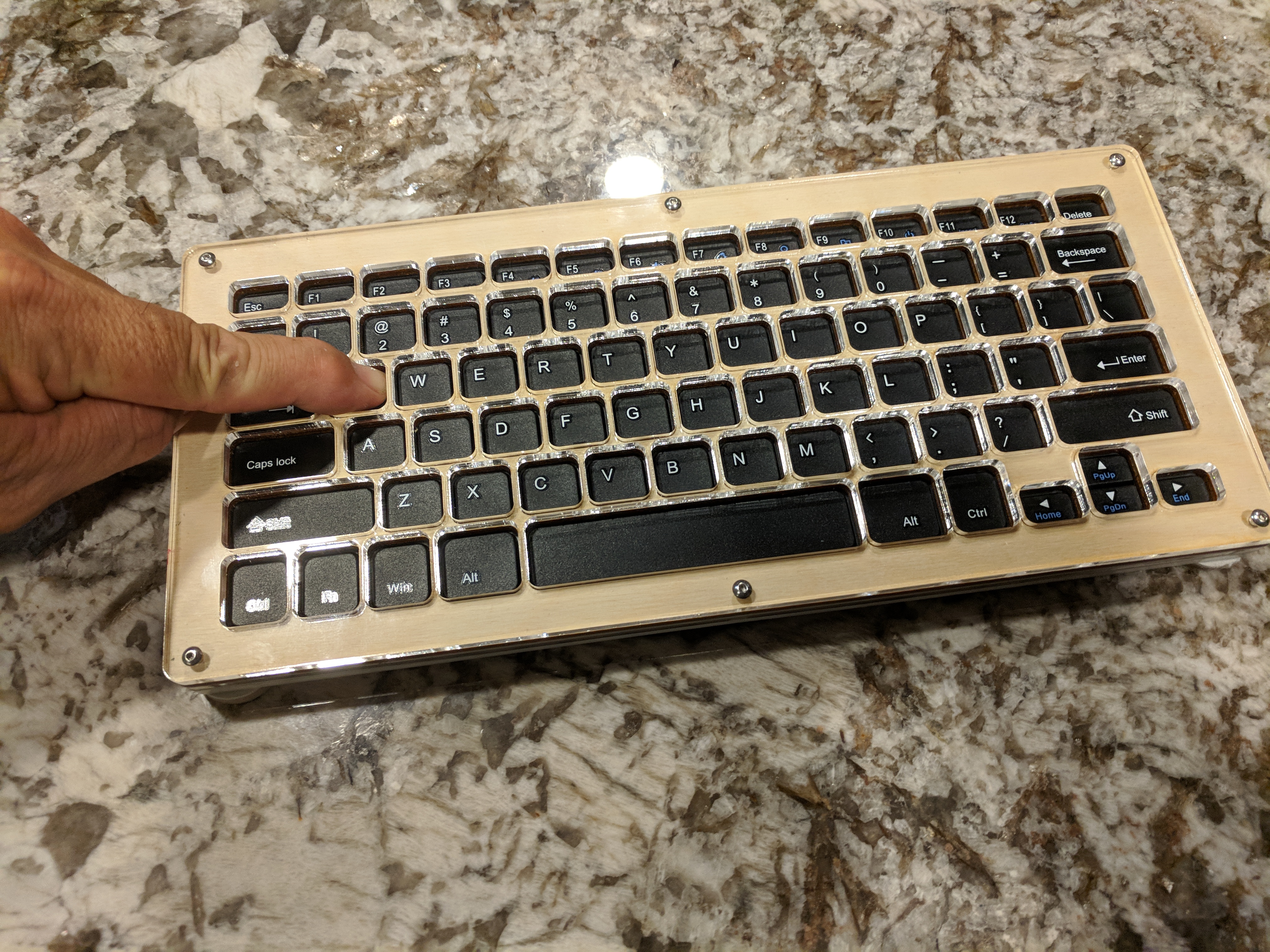
Keyguard for Tecknet Wireless keyboard
An acrylic laser cut keyguard that prevents the user from striking the wrong keys.
 Laser Cutting
 0
0 23
23 1
1 800
800Device Information
Overview
My original design was intended to have a ring or two that acts as a gasket, or spacer around the perimeter of the keys intended to set the height of the keyguard. The face of the keyguard has small holes that allow the user to rest a hand on top without activating any keys. keystrikes occur when the user rotates the hand a the wrist allowing his finger to drop in the hole and make the selection.
Jim Krebbs from HackerLabs Rocklin redesigned and improved my original design as you will see in the photos and the attached dxf file. instead of a spacer ring to lift the tol keyguard to the desired height, his spacers fit in between and around each key. This keeps the guard from smashing down when your hand rests on the guard in the middle. I love the green acrylic. We think it would be helpful for someone with vision needs, helping to visually separate the individual keys.
In another build, Jim laser cut a piece of birch instead of acrylic. It gives it a nice organic appearance. The wood could be decorated with rastering or stained to give it an even nicer appearance.
How To Use
After the device is attached, the keyboard can be used as normal
Disability Type Description
This device is intended for users of the Tecknet Wireless Keyboard (EWK01315) or the Arteck Wireless Keyboard (HW098).
Estimated Cost (CAD)
Maker Information
Skills Description
This device requires the use of a laser cutter
Print Time (hrs)
Assembly Time (hrs)
0.5
Tools Needed
Laser Cutter
Build Instructions
After laser cutting, the spacer can be screwed in place around the keyboard.
Project Link
Please login or register to agree to the MMC Terms of Use to access the Project Link
License
Attribution
Reviews

There are no reviews for this device