
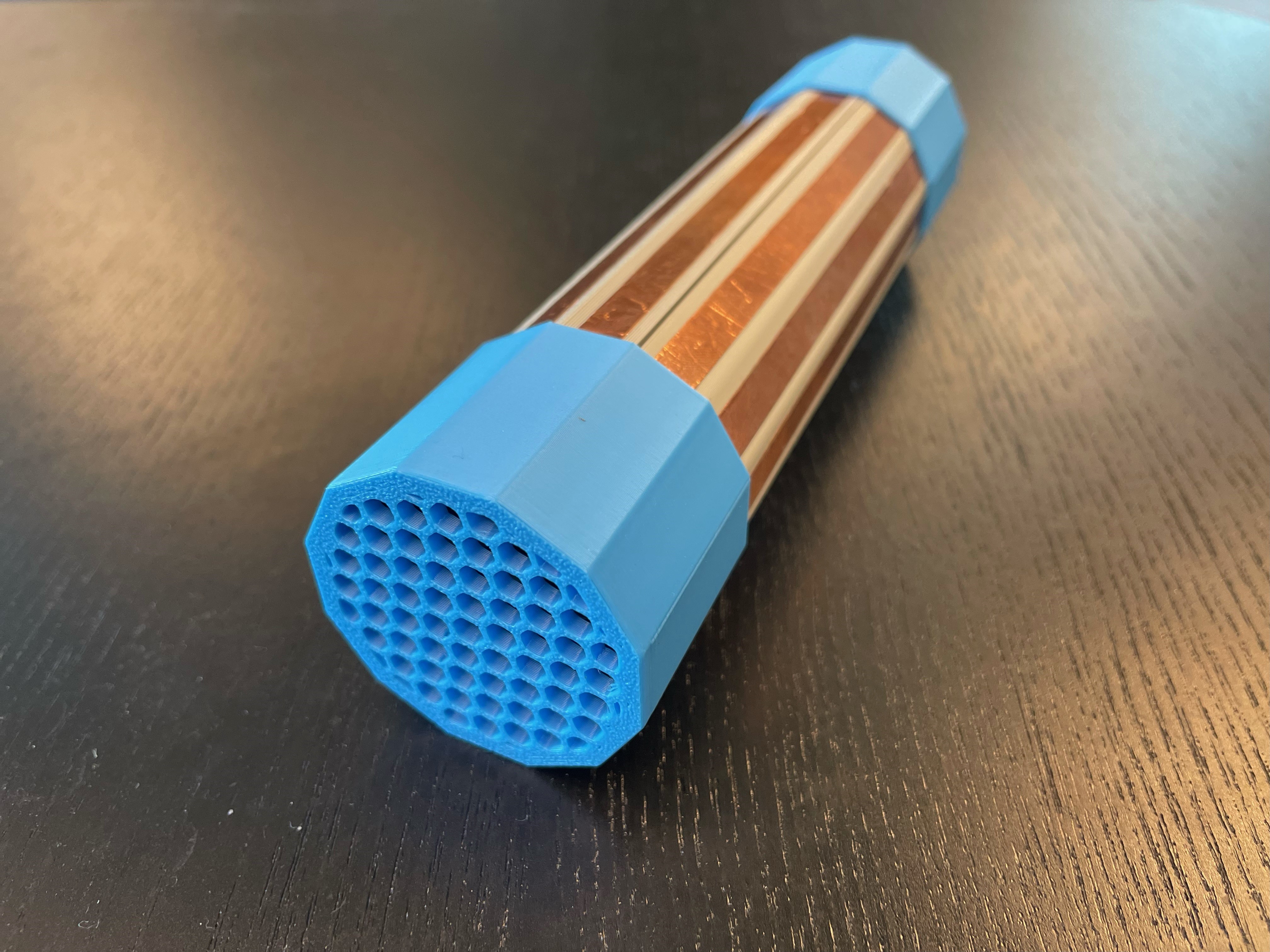
Musical Grasping Training Aid
Encourages individuals with neurodevelopmental differences to use their hands and learn cause and effect through grasp activated musical play.
 Electronics
 3D Printing
 Software
 6
6 44
44 5
5 1.6k
1.6kDevice Information
Overview
The Musical Grasping Training Aid is designed to encourage grasping and holding and learn cause and effect. When a user holds the device, it plays music and when the device is not being held, it pauses the music. Users can upload their own music onto a microSD card inside the device and upload new or additional songs when they are no longer motivated by the current selection of songs.
How To Use
Summary
When powered on, the device will play music when grasped and pause when released.
Power On
To power on the device, flip the switch on the side of the device from OFF to ON.
Setup
After turning on the power switch, wait a few minutes for the device to calibrate. To properly calibrate the device, make sure it is placed in the stand, and it is not being touched.
Musical Grasping
After calibration, the device is ready to be used. The device senses grasp through the copper tape along the tube of the body and will only play music if it is being grasped along this surface. To play the music loaded onto the device, grasp the copper tape activation surface on the device. Note, the device will not play music if it is being grasped by the end caps.
Once the device is no longer held and let go, the music will pause and stop playing. To continue playing music, the user must grasp the device again.
Volume Control
To change the volume of the music being played, press the left button on the side of the device (above the VOL label). The device has six volume levels (5, 8, 11, 14, 17, 20), and each press cycles to the next volume setting. When calibrated, the device starts at level 5 and will cycle through the remaining levels. If the volume button is pressed while the device is playing music at the last level, it will restart to play music at the first volume level.
Song Skip
To skip a song, press the right button on the side of the device (above the SKIP label). This will skip to the next song loaded onto the microSD card inside the device. If the skip button is pressed while the last song is played, the device restarts the song list and plays the first song.
Disability Type Description
This device is intended for usage by people with neurodevelopmental differences and individuals who are trying to learn the concept of cause and effect.
Estimated Cost (CAD)
Maker Information
Skills Description
This is an advanced build that requires careful soldering of components to a protoboard and flashing firmware.
Print Time (hrs)
3.9
Assembly Time (hrs)
4
Tools Needed
Common Hand Tools;3D Printer;Soldering Iron
Build Instructions
This build consists of a number of off-the-shelf electronic components that are soldered onto a protoboard and assembled into a 3D printed enclosure. Firmware is then flashed to the microcontroller.
For full instructions, please refer to the Maker Guide.
Project Link
Please login or register to agree to the MMC Terms of Use to access the Project Link
License
Attribution
Designed by Neil Squire / Makers Making Change. Based on an initial design by Don Haig.
Contributors:
- Didi Dimitrova
- Derrick Andrews
- Stephan Dobri
- Brad Wellington
- Jake McIvor
This design incorporates several commercially available open source hardware components from Adafruit and DFRobot. The Musical Grasping Training Aid firmware utilizes the Arduino development platform, and multiple libraries developed and shared by the open source community. Full details are available on GitHub.
Reviews

There are no reviews for this device