
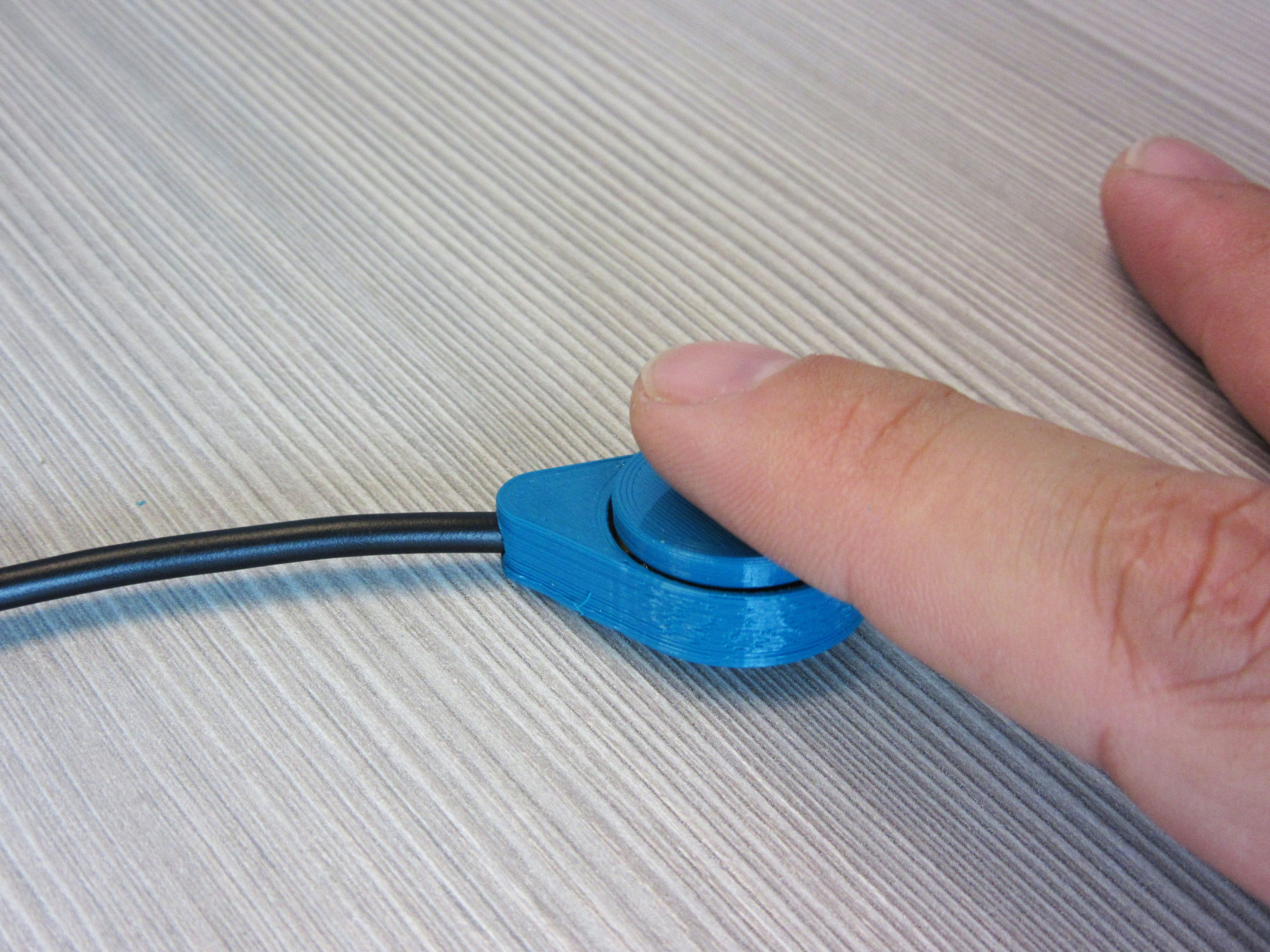
Raindrop Switch
If you need a small, affordable assistive switch, the Raindrop Switch offers a nickel-sized solution for cost-effective control of assistive devices.
 3D Printing
 11
11 174
174 1
1 2.7k
2.7kDevice Information
Overview
The Raindrop Switch is a small, cost-effective, 3D-printed assistive switch. The switch is 32 mm L x 22 mm W x 9 mm H and uses a standard 3.5 mm cable. Using the model of tactile switch specified, the activation force is about 1.3 N (130 gf). This switch is comparable in size, activation force, and travel to the AbleNet Mini Cup Switch.
How To Use
This switch is well-suited for use by a finger. This switch can be plugged into any standard 3.5 mm port on an assistive device. It can also be used with the Xbox Adaptive Controller. Multiple switches can be used to get input from more than one finger. The switch can be mounted using adhesive on the rear surface.
Disability Type Description
The device is intended for users who have difficulty used small buttons or switches, and needs an accessible switch to operate them.
Estimated Cost (CAD)
Maker Information
Skills Description
The build involves beginner level 3D printing and soldering.
Print Time (hrs)
0.5
Assembly Time (hrs)
0.25
Tools Needed
Common Hand Tools;3D Printer;Soldering Iron
Build Instructions
See detailed instructions by downloading the Assembly Guide or by watching this Assembly Video.
Assembly Instructions Summary:
- Use flush cutters to cut off the through hole mounting lugs from the 12 mm switch and remove the contacts on one side.
- Thread the cable through the switch base. Solder the leads to the switch. Test the switch before the final assembly.
- Use a tiny bit of hot glue to secure the switch in place on the base, and then use more glue to secure the cable in place to provide some strain relief on the back side. Use a tiny bit more glue to secure the cap to the top of the switch.
Print Settings: (Printables - Raindrop Switch)
- 0.2 mm layer height
- 20% infill
- No Supports
Project Link
Please login or register to agree to the MMC Terms of Use to access the Project Link
License
Attribution
Reviews

There are no reviews for this device