
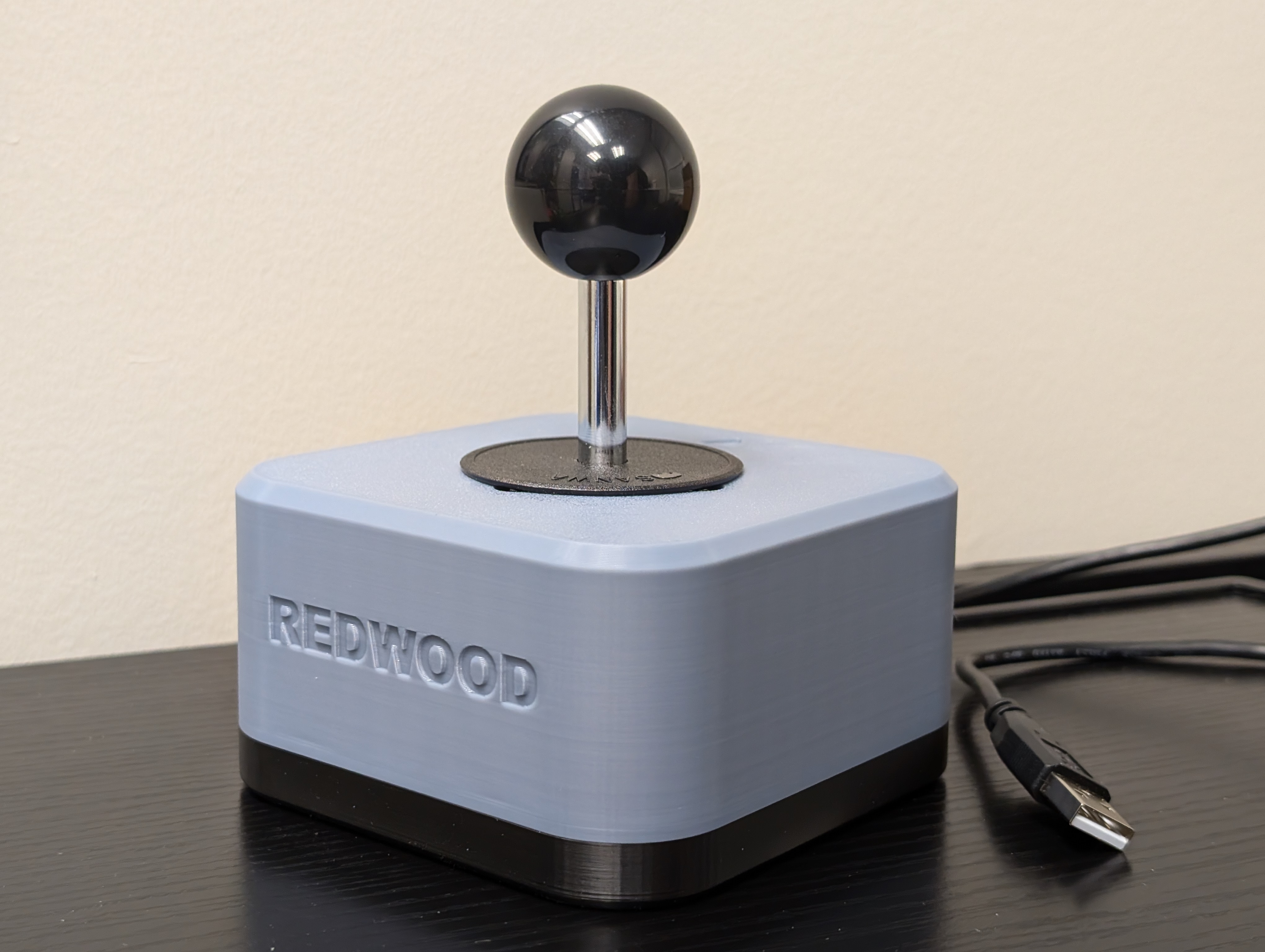
Redwood USB Joystick
The Redwood Joystick is a robust analog USB joystick designed for users with gross motor movement and high strength. Its durable build ensures reliable performance for digital access and adaptive gaming.
 3D Printing
 6
6 104
104 3
3 2.2k
2.2kDevice Information
Overview
The Redwood Joystick is designed for users with gross motor movement and high strength, providing a durable and reliable solution for adaptive gaming and digital access. The main component is the Ultimarc Ultrastik 360 joystick. With its USB connection, it functions seamlessly as a computer mouse or gamepad, offering flexibility to suit your needs. Compatible with our Oak Compact Joystick toppers, it can be customized with options like goalpost or concave designs for personalized comfort. The joystick’s robust construction ensures it withstands heavy use, while its mounting adapters allow secure attachment to 1/4-20 mounting arms and 1-inch RAM mounts, ensuring a stable and accessible setup in any environment.
How To Use
The Redwood Joystick is simple to use. Connect the joystick’s USB Type A input to a compatible device, such as a phone, computer, Xbox Adaptive Controller, or Hori Flex Controller. See user guide for full compatibility. Once plugged in, the joystick allows you to control the device mouse or joystick input. It can be used for navigating digital interfaces, gaming, or other applications requiring joystick input, providing a reliable and easy-to-use solution.
Disability Type Description
The Redwood Joystick is ideal for individuals with strong gross motor movement but limited fine motor control or targeting accuracy. This includes users with conditions such as cerebral palsy, some forms of muscular dystrophy, or individuals with spinal cord injuries or post-stroke conditions who retain significant strength in larger muscle groups. Designed for those who can manage more forceful or broad movements, the joystick offers a durable, stable solution for both adaptive gaming and digital access.
Estimated Cost (CAD)
Maker Information
Skills Description
3D print the provided enclosure files and assemble the components using common hand tools (Screwdriver and plyers). With basic assembly skills and access to a 3D printer, you can quickly create a fully functional Redwood Joystick.
Print Time (hrs)
3
Assembly Time (hrs)
0.5
Tools Needed
Common Hand Tools;3D Printer
Build Instructions
To build the Redwood Joystick, start by 3D printing the enclosure using the provided design files. Once the enclosure is ready, gather the joystick components and common hand tools such as a screwdriver and pliers. Assemble the joystick by attaching the Ultimarc UltraStik 360 to the enclosure, securing the wiring, and mounting any desired Oak Compact Joystick toppers using the Topper Adapter Nut. If needed, attach the mounting adapters for RAM or 1/4-20 camera mounts. Finally, connect the joystick via USB to test functionality and ensure smooth operation. The process is straightforward, requiring only basic tools and assembly skills.
- Top and bottom 3D printed enclosure
- Ultimarc Ultrastik 360
- Optional: Oak toppers
- Optional: Mounting adapters for RAM or ¼-20 Camera mount
Project Link
Please login or register to agree to the MMC Terms of Use to access the Project Link
License
Attribution
Designed by Neil Squire Society / Makers Making Change
Contributors:
- Tyler Fentie, Neil Squire. Design and documentation.
Design inspired by SCCR Rehabilitation Engineering: https://www.printables.com/model/268854- ultrastik-analog-joystick-enclosure
The documentation template was created by Makers Making Change / Neil Squire and is used under a CC BY-SA 4.0 license. It is available at the following link: https://github.com/makersmakingchange/OpenAT-Template
Reviews

There are no reviews for this device