
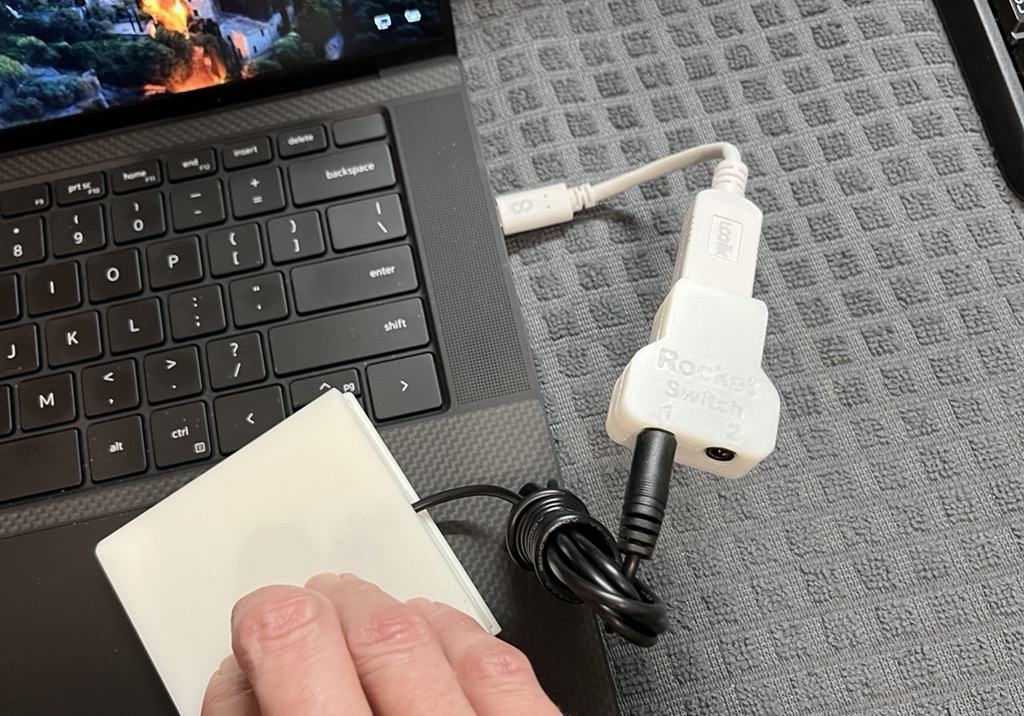
Rocket Switch Interface
If you want to use assistive switches with your computer or smartphone, the Rocket Switch Interface has two switch inputs so you can fire up and control your own electronic device.
 Mechanics
 Custom PCB
 3D Printing
 7
7 44
44 1
1 1.6k
1.6kDevice Information
Overview
The Rocket Switch Interface enables users to operate their computer or smartphone using up to two assistive switches. This compact switch interface is connected to your device using a USB to USB-C adapter (or whichever connector style your device has).
How To Use
There are several ways of using this switch interface. A short, 1-second press will perform the action you assigned in your computer or phone setting.
To change the operation mode, press switch 1 (left) and hold for 4 seconds to cycle through each mode.
- Switch Mode (teal light indicator): This mode can be used with a switch control software on Windows and Android. Switch 1 outputs the A key and switch 2 outputs the B key.
- Switch Mac Mode (pink light indicator): This mode can be used with a switch control software on Mac Operating Systems. Switch 1 outputs the F1 key and Switch 2 outputs the F2 key.
- Mouse Mode (purple light indicator): This mode simulates a mouse button click. Switch 1 performs the left mouse click and Switch 2 performs the right mouse click.
Settings Mode (orange light indicator): The settings mode allows the user to adjust the reaction time between switch presses. The minimum reaction time is 50 ms (Level 10) and maximum reaction time is 500 ms (Level 1). Switch 1 decreases one reaction level and Switch 2 increases one reaction level.
See the User Guide for details.
Disability Type Description
Switch users with movement-limiting disabilities like spinal cord injuries, muscular dystrophy, and ALS may find this switch interface useful.
Estimated Cost (CAD)
Maker Information
Skills Description
This is an intermediate level build that involves 3D printing, soldering small electronics, and software.
Print Time (hrs)
1
Assembly Time (hrs)
2
Tools Needed
Common Hand Tools;3D Printer;Soldering Iron
Build Instructions
This device consists of two 3D printed parts and assembly. Refer to the Assembly Guide for build instructions.
Print Settings: (GitHub)
- 0.2 mm layer height
- 20% infill
- No Supports
Project Link
Please login or register to agree to the MMC Terms of Use to access the Project Link
License
Attribution
Reviews

There are no reviews for this device