
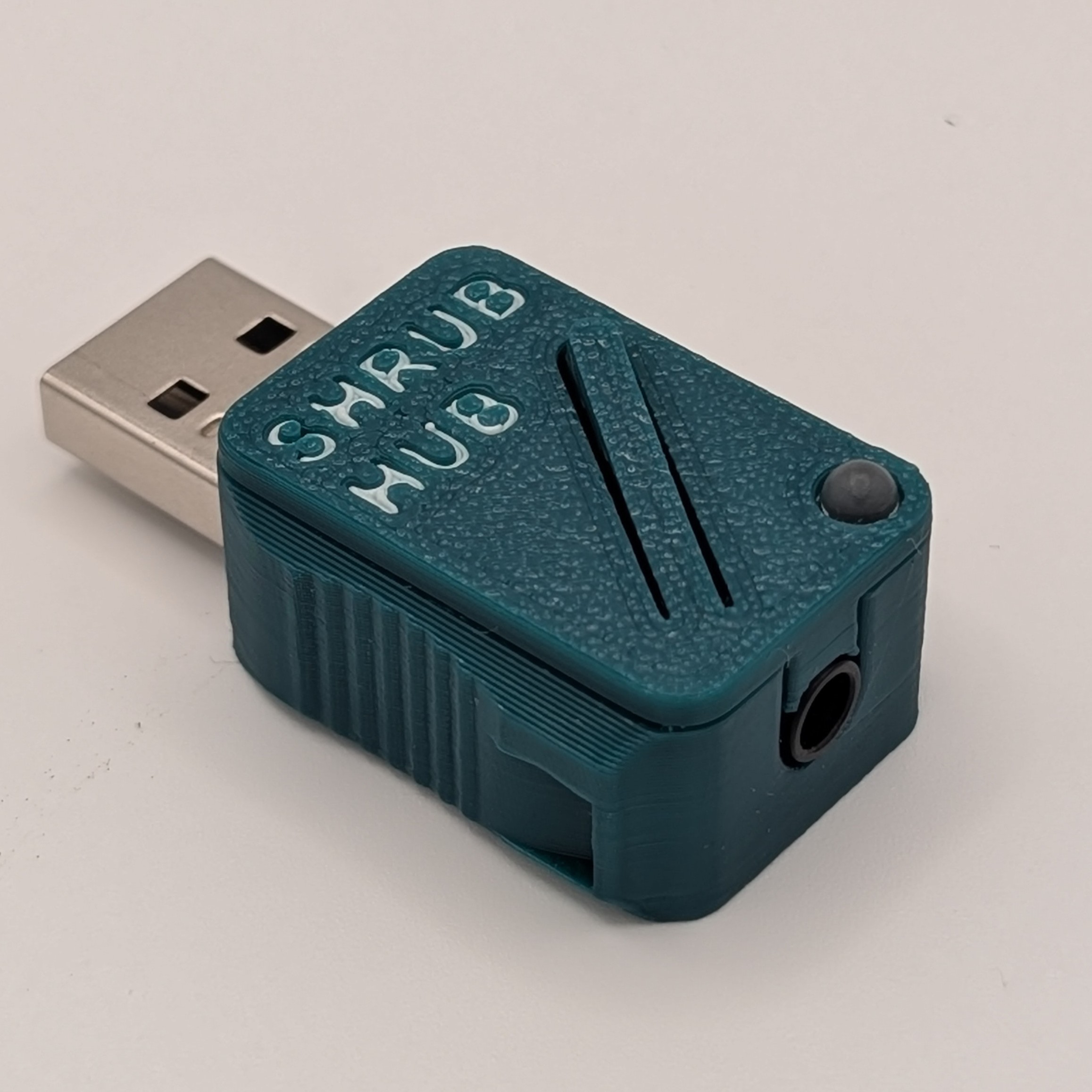
Shrub Hub USB Switch Interface
A USB Switch Interface to send keystrokes to navigate webpages, switch scan, send mouse clicks, and control device audio and other media using up to three assistive switches.
 3D Printing
 4
4 34
34 1
1 764
764Device Information
Overview
The Shrub Hub is a USB switch interface that enables a user to connect up to three 3.5 mm assistive switches to a digital device like a computer or mobile phone. It has five modes, and can send keystrokes, mouse clicks, and media control commands, with five outputs per mode. It is designed to provide digital access to people using assistive switches, and to be low cost and very easy to build.
How To Use
Setup
Connect up to three 3.5 mm assistive switches into the Switch Adapter and then plug the Shrub Hub into a USB-A port on the computer or other digital device.
If only using one switch, the Shrub Hub can be used without the switch adapter, and the switch can be plugged directly into the Shrub Hub.
Usage
Each switch can be pressed to send a different keystroke, or multiple switches can be pressed at the same time to send a different keystroke than any of the individual buttons.
There are five different operating modes that each have their own unique sets of outputs. The operating mode can be changed by activating an assistive switch for 4 seconds.
A detailed User Guide is available at the Project Link or via the Download Link (requires log-in).
Disability Type Description
The Shrub Hub is designed to support individuals who experience difficulty using traditional computer input devices such as keyboards, mice, or touchscreens. This includes users with a wide range of motor, neuromuscular, and physical access challenges that limit fine motor control, hand strength, reach, or coordination. The Shrub Hub enables these users to operate digital devices using assistive switches.
This device may be particularly beneficial for people with:
- Limited hand mobility or dexterity, including those with conditions such as arthritis, cerebral palsy, muscular dystrophy, or spinal cord injuries.
- Reduced range of motion or difficulty performing precise movements, often experienced by individuals with neuromuscular disorders or chronic pain.
- Involuntary movements or tremors, making standard input devices difficult to use, such as in Parkinson’s disease or essential tremor.
- Upper-limb differences or amputation where traditional input tools are inaccessible or uncomfortable.
- Temporary impairments (injuries, surgeries, fatigue-related limitations) that require alternative access methods.
Estimated Cost (CAD)
Maker Information
Skills Description
This device is specifically intended to be easy to build. The only skill needed is being able to 3D print parts, use a small screwdriver, and drag and drop files. There is optional customization that can be done if the maker is comfortable with minor software changes.
Note that this build does not require soldering.
Print Time (hrs)
0.3
Assembly Time (hrs)
0.2
Tools Needed
Common Hand Tools;3D Printer
Build Instructions
This build involves assembling and programming the Shrub Hub and assembling the 3-to-1 Switch Adapter.
Assembling the Shrub Hub involves inserting the TRRS Trinkey into a 3D printed enclosure. Programming the Shrub Hub involves downloading the firmware, and dragging and dropping the firmware files into the Shrub Hub folder. Assembling the 3-to-1 Switch Adapter involves stripping wires and screwing them into a terminal, then inserting the terminal into a 3D printed enclosure.
This build does not require ordering custom PCBs or any soldering.
Detailed step-by-step instructions are available at the Project Link or via the Download Link (requires log-in).
Project Link
Please login or register to agree to the MMC Terms of Use to access the Project Link
License
Attribution
The device was designed by Neil Squire Society.
The Shrub Hub is built using the following commercially available open-source hardware components:
- - Adafruit TRRS Trinkey - USB Key for Assistive Technology. The PCB design is available under a CC-BY-SA 3.0 license at https://github.com/adafruit/Adafruit-TRRS-Trinkey-PCB. It is certified as open hardware with the Open Source Hardware Association (OSHWA) as US002639.
The Shrub Hub is programmed in CircuitPython using the Mu Python Editor.
Contributors:
- Brad Wellington. Shrub Hub Enclosure, firmware, documentation. Neil Squire Society / Makers Making Change.
- Bill Binko. TRRS Trinkey PCB design and Learning Guide. ATMakers.org.
- Chris Young. TRRS Trinkey PCB Design. ATMakers.org.
- Eric Chau. Testing. Neil Squire Society / Solutions.
- Jake McIvor. Documentation, testing. Neil Squire Society / Makers Making Change.
- Limor Fried. TRRS Trinkey PCB Design. Adafruit.
- Liz Clark. TRRS Trinkey Learning Guide. Adafruit.
- Jody Dickerson. Testing. Neil Squire Society / Solutions.
- Josie Versloot. Testing. Neil Squire Society / Makers Making Change.
- Stephan Dobri. Testing. Neil Squire Society / Makers Making Change.
Reviews

There are no reviews for this device