
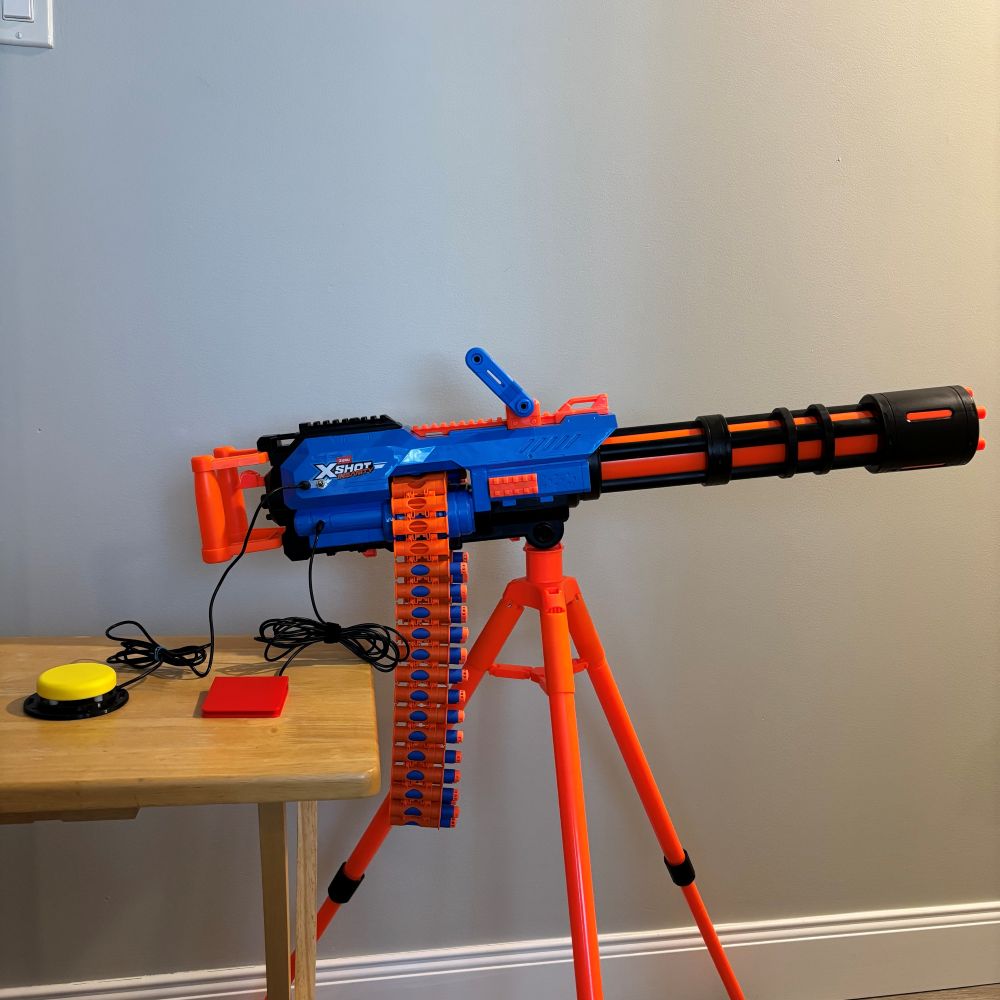
Switch Adapted ZURU XSHOT Motorized Rage Fire Dart Blaster
This is a switch adapted dart blaster that shoots foam darts with the press of an assistive switch! It can be used independently using 2 assistive switches, or using 1 assistive switch with assistance.
 Mechanics
 0
0 0
0 0
0 9
9Device Information
Overview
This is a commercially available Zuru XShot Motorized Rage Fire Dart Blaster that has been switch adapted to be used with either 1 or 2 assistive switches. It comes with a tripod so it can be used without being held, and can hold 40 darts at once so the fun lasts between reloads.
How To Use
- Set up the dart blaster on the tripod stand that it comes with.
- Plug in your assistive switch(es). If using one assistive switch, plug it into the bottom jack. If using two assistive switches, plug both in.
- "Charge up" the blaster by either turning on the built in toggle switch or pressing and holding the assistive switch plugged into the jack next to the toggle switch. Note: you can also use an OpenAT Switch Latch paired with your assistive switch here, so that the assistive switch can be pressed once for on and once for off.
- While the "charge up" function is activated, press and hold the "shoot" switch (which is the assistive switch plugged in to the bottom jack). While both functions are activated, the dart blaster will shoot foam darts, when the "shoot" switch is released, it will stop.
Important note:
If the "trigger" switch is activated without the "charge up" function activated, the darts will jam up in the toy.
Disability Type Description
This adapted toy may be suitable for individuals with physical or developmental disabilities who are unable to activate small buttons on standard toys. It supports users who rely on one or two assistive switches due to limited fine motor control, strength, or coordination.
Switch-adapted toys can promote independent play, cause-and-effect learning, and accessible engagement for children and adults who use switch-based access methods.
Estimated Cost (CAD)
Maker Information
Skills Description
To adapt the toy, you must be able to strip wires, operate a drill, and solder.
Print Time (hrs)
0
Assembly Time (hrs)
1
Tools Needed
Common Hand Tools;Common Power Tools;Soldering Iron
Build Instructions
This build involves disassembling the toy, soldering in two 3.5 mm mono jacks and a toggle switch, drilling holes, and reassembling the toy.
Detailed step-by-step instructions are available at the Project Link or via the Download Link (requires log-in).
Project Link
Please login or register to agree to the MMC Terms of Use to access the Project Link
License
Attribution
Documentation created by Neil Squire / Makers Making Change.
Reviews

There are no reviews for this device