
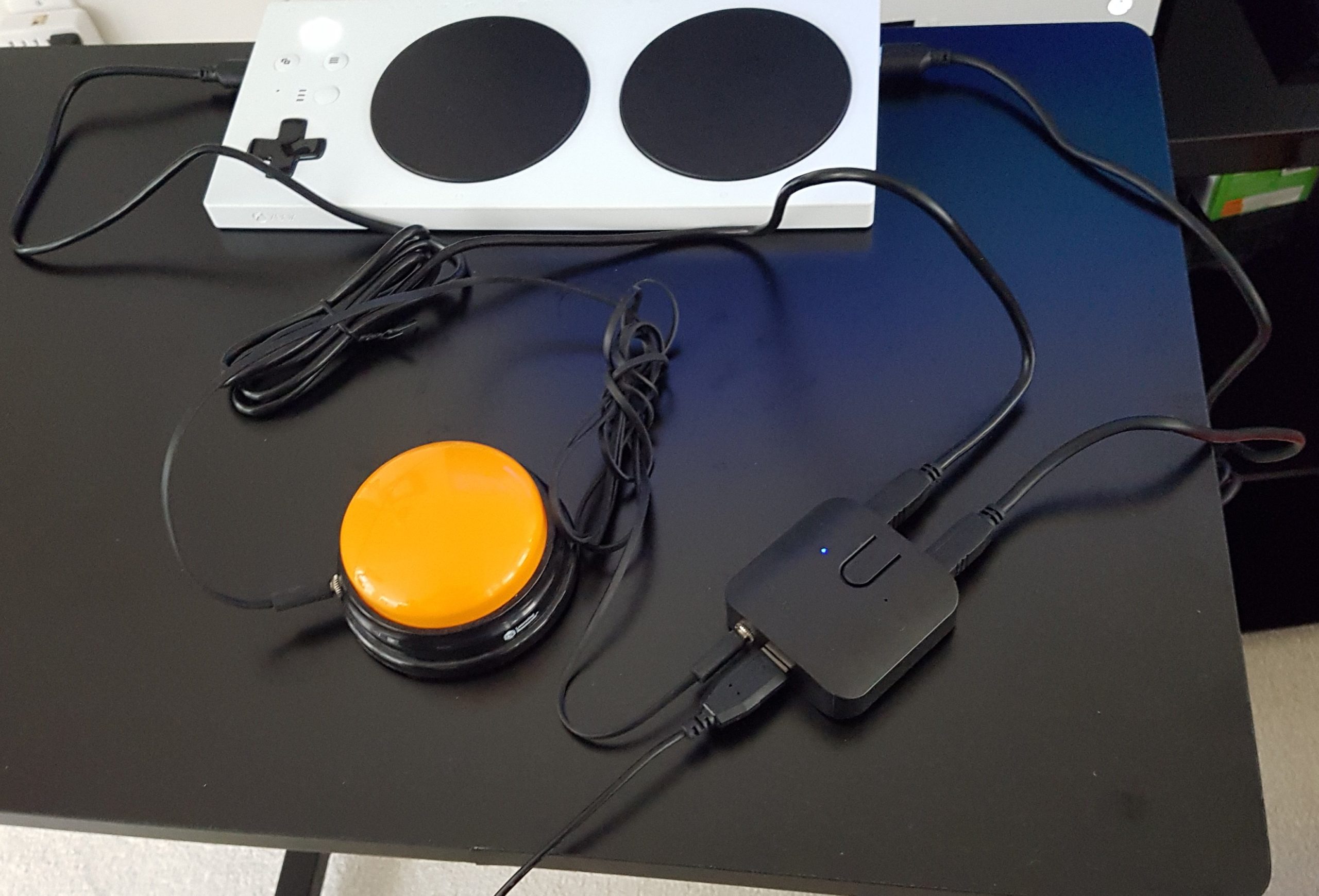
USB Switcher Modification
This is a modification adds a switch jack input to the commercially available Sabrent USB 2.0 Sharing Switch, a device that allows a person to connect one USB device to two computers and switch between them.
 0
0 7
7 0
0 887
887Device Information
Overview
This is a modification adds a switch jack input to the commercially available Sabrent USB 2.0 Sharing Switch, a device that allows a person to connect one USB device to two computers (or a computer and a tablet) and switch between them. For example, a single USB keyboard can be connected to two different computers. A USB hub can also be plugged into the Sharing Switch, allowing more than one device to be switched between the two devices.
How To Use
Setup the Sabrent USB 2.0 Sharing Switch according to the manufacturer user guide. Plug an access switch with a 3.5 mm audio jack into the connector jack in the Sabrent Switch. When the switch is pressed, the USB device will switch from controlling one device to controlling the other. A blue LED light on the switch will indicate which output is connected.
Example 1: Keyboard with 2 Computers
Plug the Keyboard into the USB Sharing Switch input. Connect one output from the USB Sharing Switch to a USB port on the first computer and the other output to a USB port on the second computer. Connect an assistive switch to the switch port on the USB Sharing Switch.
Pressing the button on the USB Sharing Switch or activating the assistive switch will swap the keyboard between the first computer and the second computer.
Example 2: Xbox Adaptive Controller with LipSync
Plug the Lipsync into the USB Sharing Switch input. Connect one output from the USB Sharing Switch to the left USB port on the XAC and connect the other output from the USB Sharing Switch to the right USB port on the XAC. Connect an assistive switch to the switch port on the USB Sharing Switch.
Activating the assistive switch will no swap the LipSync between emulating the left thumbstick and the right thumbstick.
Disability Type Description
This device is designed for assistive switch users
Estimated Cost (CAD)
Maker Information
Skills Description
This project requires electronics and soldering.
Print Time (hrs)
0
Assembly Time (hrs)
0.5
Tools Needed
Common Hand Tools;Common Power Tools;3D Printer;Soldering Iron
Build Instructions
The modification involves drilling a hole in the case, mounting a connector jack, and soldering wires from the jack to the device circuit board. For full instructions please download here.
Bill of Materials
1 – USB 2.0 Sharing Switch https://www.sabrent.com/product/USB-SW20/usb-2-0-sharing-switch-for-multiple-computers-and-peripherals-led-device-indicators/
1 – Mono Jack (CUI MJ3502 https://www.digikey.ca/short/pq1d1z
2 – 8 cm length 22 AWG wire.
Project Link
Please login or register to agree to the MMC Terms of Use to access the Project Link
License
Attribution
Reviews

There are no reviews for this device