
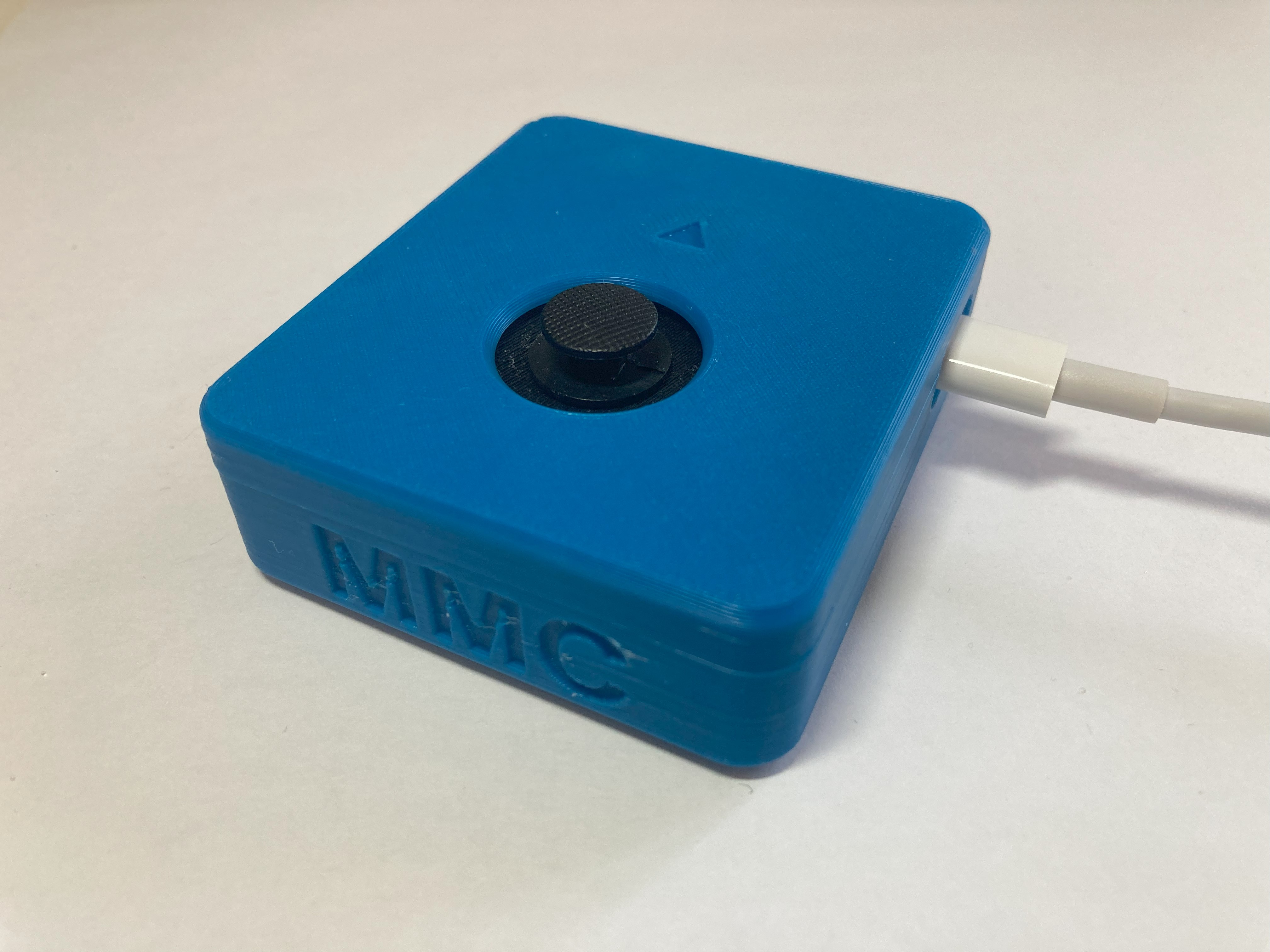
Birch Sliding USB Joystick
If you're looking for a USB joystick with a very small range of motion we'd like to point you to the Birch Sliding USB Joystick.
 Electronics
 Mechanics
 3D Printing
 Software
 3
3 12
12 0
0 820
820Device Information
Overview
The Birch Sliding USB Joystick is a small USB joystick that moves in a sliding motion instead of the typical pivoting motion of a joystick or thumbstick. It can be used for adapted gaming, either with the Xbox Adaptive Controller or used directly with a PC.
The PSP-style game controller sliding thumbstick joystick has a range of motion of ±2 mm and requires approximately 115 grams-force to fully deflect. A range of toppers are available for this joystick.
The analog version of the Birch Sliding USB Joystick is the Aspen Sliding Joystick.
How To Use
To use the Birch Sliding USB Joystick, first position the joystick for the user, mounting if needed. Then, plug in the USB-C to USB-A cable to both the joystick and the host device, such as the Xbox Adaptive Controller. Wait for the joystick to initialize, then move the joystick like a thumbstick on a standard controller. If needed, there are 5 different toppers that can be used in place of the standard topper.
Detailed usage instructions are provided in the User Guide, which is available to logged-in users via the Project Link.
Disability Type Description
For joystick users who require a USB joystick with a very small range of motion for gaming.
Estimated Cost (CAD)
Maker Information
Skills Description
This is a intermediate build requiring electronics, mechanics, 3D printing, and using the Arduino IDE.
Print Time (hrs)
4
Assembly Time (hrs)
1
Tools Needed
Common Hand Tools;3D Printer;Soldering Iron
Build Instructions
This build consists of a number of off-the-shelf electronic components that are soldered into a protoboard and connected together using wires and solder bridges. The electronics are then assembled into a 3D printed enclosure and the firmware is flashed to the microcontroller using the Arduino IDE.
Detailed instructions are provided in the Maker Guide, which is available to logged-in users via the Project Link.
Project Link
Please login or register to agree to the MMC Terms of Use to access the Project Link
License
Attribution
Designed by Neil Squire Society / Makers Making Change
Contributors
- Josie Versloot, Neil Squire. Hardware and enclosure design, coding, documentation.
- Tyler Fentie, Neil Squire. Hardware and enclosure design.
- Milad Hajihassan, Neil Squire. Coding.
The software utilizes the Adafruit TinyUSB Library for Arduino which is made available under an MIT license.
The OpenAT documentation template was created by Makers Making Change / Neil Squire. It is available at the following link: https://github.com/makersmakingchange/OpenAT-Template
Reviews

There are no reviews for this device