
Wireless Assistive Switch Link
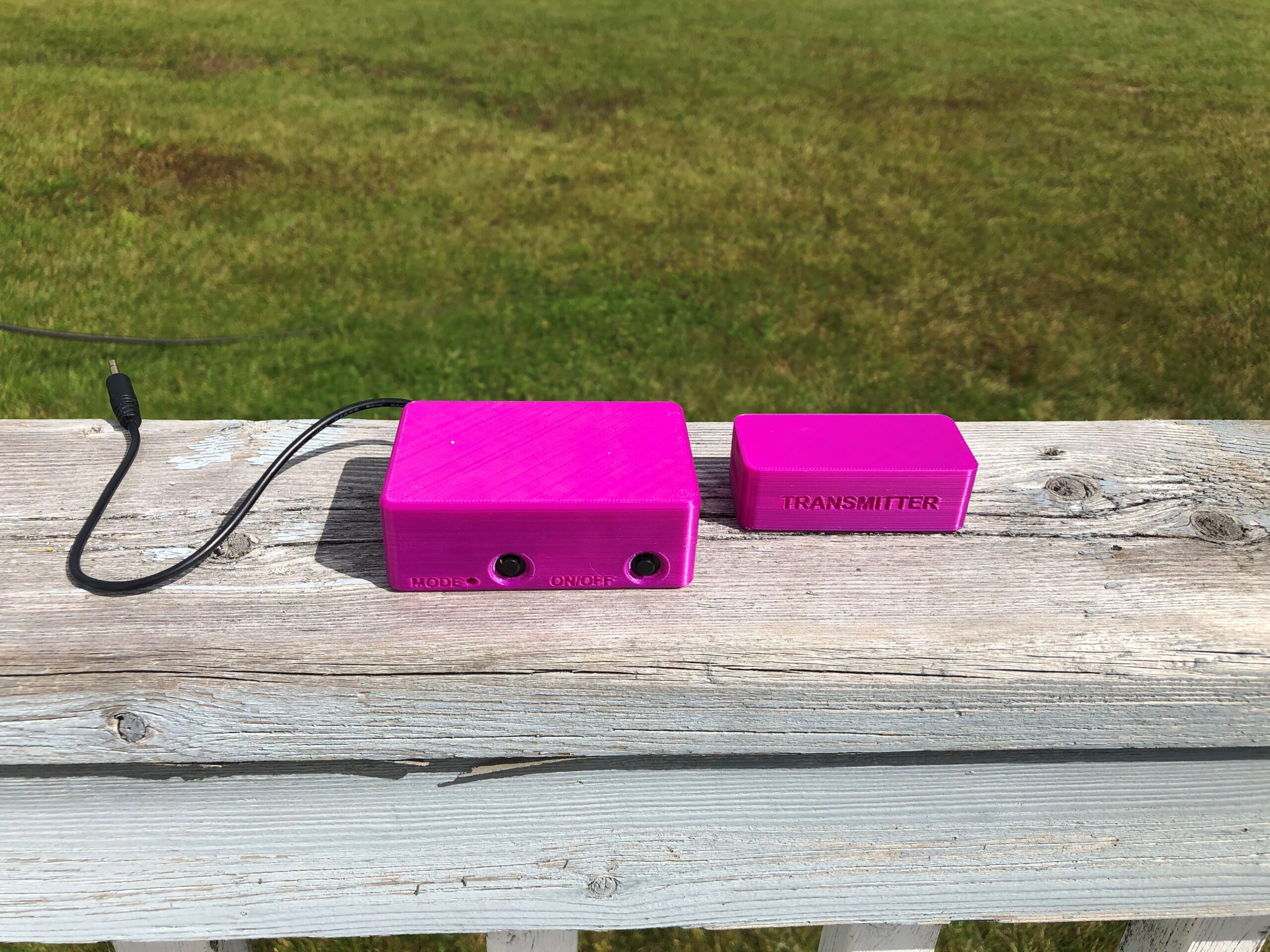
If your cables always get tangled, the Wireless Assistive Switch Link is a fuss free solution that allows you to wirelessly control your switch-adapted device with an assistive switch.
 Mechanics
 3D Printing
 9
9 47
47 0
0 958
958Device Information
Overview
The Wireless Assistive Switch Link enables a wireless connection between an assistive switch and switch-adapted device. This two part design consists of a transmitter for the switch and a receiver that's plugged into the switch-adapted device.
In addition to momentary control, the device has the option of pre-set timed latches of 10 seconds, 1 minute, or 5 minutes. Latching and timed-latching are perfect for switch adapted devices like the bubble blower where the switch needs to be pressed and held.
How To Use
Connect an assistive switch to the transmitter. Plug the receiver into the switch-adapted device and power the device on. Press the assistive switch to activate the device.
The switch interface can operate in several modes:
- Momentary Switch (by default): The output device will turn off about 0.5 seconds after the user stops pressing the switch.
- Toggle Switch: When the switch is pressed, the output device will remain on until the assistive switch is pressed again to turn it off.
- 10 Second Latched Timer: After the assistive switch is pressed and released, the output device will remain on for 10 seconds and then turn off.
- 1 Minute Latched Timer: After the assistive switch is pressed and released, the output device will remain on for 1 minute and then turn off.
- 5 Minute Latched Timer: After the assistive switch is pressed and released, the output device will remain on for 5 minutes and then turn off.
The mode can be changed by pressing the Mode Button on the Receiver.
A detailed User Guide is available via the Project Link or Download Button (requires log-in).
Disability Type Description
This device is intended for assistive switch users who have movement-limiting disabilities like spinal cord injuries, muscular dystrophy, and ALS.
Estimated Cost (CAD)
Maker Information
Skills Description
This build involves beginner level 3D printing and soldering.
Print Time (hrs)
5.5
Assembly Time (hrs)
0.5
Tools Needed
Common Hand Tools;3D Printer;Soldering Iron
Build Instructions
This build consists of 3D printable parts and some commercial off-the-shelf hardware.
Print Settings:
- 0.2 mm layer height
- 20% infill
- No Supports
All necessary files and detailed step-by-step instructions are available at the Project Link or via the Download Button (requires log-in).
Project Link
Please login or register to agree to the MMC Terms of Use to access the Project Link
License
Attribution
Design and documentation by Neil Squire Society / Makers Making Change.
Contributors:
- Kerilyn Kennedy
Reviews

There are no reviews for this device