
Event Focus: Adaptive Gaming
Gaming Accessibility Made for Everyone (GAME), is an initiative focused on making gaming more inclusive. Club leaders will have the opportunity to learn about adaptive controllers, assistive technology, and accessibility in gaming while making a meaningful impact in their community. Remember Clubs That Care applicants are required to engage 10 volunteers through build events and complete and deliver 20 assistive technologies to Canadians with disabilities. Any of our gaming devices count as assistive technologies.
- If you wish to keep the devices for trial use with clients or your community, please mention it in your application or bring it up during your interview, and explain why you’d like to do so.
- Additionally, some events and options a GAME-focused Club would have the support to do:
- Host an event showcasing the devices in action through a booth or a tournament
- Host an event to learn more about adaptive gaming or programing a game with accessibility options, AND/OR
- Supply built devices to a GAME Checkpoint
If you have any questions about getting involved in adaptive gaming, you can reach out to the Maker Making Change Team at info@makersmakingchange.com
Below are some resources to help you get started.
Why Gaming Accessibility Matters
Gaming fosters social connection, independence, and rehabilitation. It can improve motor skills, cognitive function, and emotional well-being in people with disabilities. However, gaming is not separate from the accessibility challenges that all digital platforms face. According to Minh Tue Le Ngoc in Diversity, Equity & Inclusion in Games, 31% Gamers have a disability. Statistics Canada states 80% Canadians living with a disability use some kind of aid or assistive device on a daily basis to increase their independence.
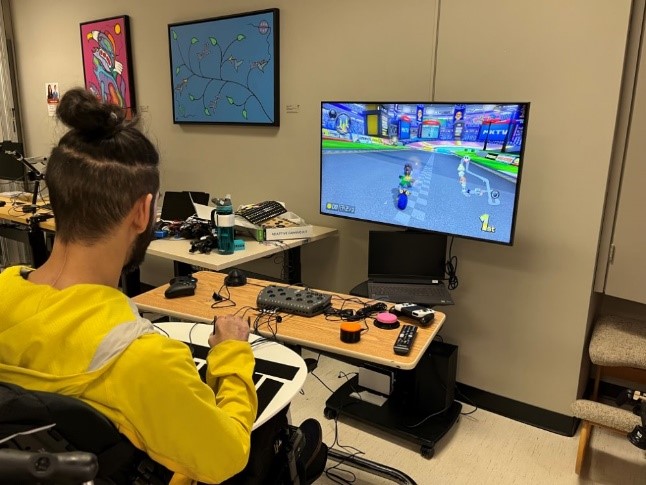
Assistive Technologies to Build
For individuals who have difficulty using a standard controller, keyboard, or mouse, adaptive switches and external joysticks can provide accessible alternatives. Switches can replace traditional buttons or triggers, offering customized control through easy targets. Similarly, external joysticks can replace the input from a standard controller’s thumbstick or a mouse, allowing directional movement in games.
These tools help customize and optimize the gaming layout for each individual. However, they can be expensive, so MMC offers OpenAT switches and joysticks that your club can build to support more inclusive and affordable gaming setups.
To find assistive tech ideas to build for accessible gaming, check out the list of switches and joysticks in Event Examples or check out the gaming device category at Assistive Devices.
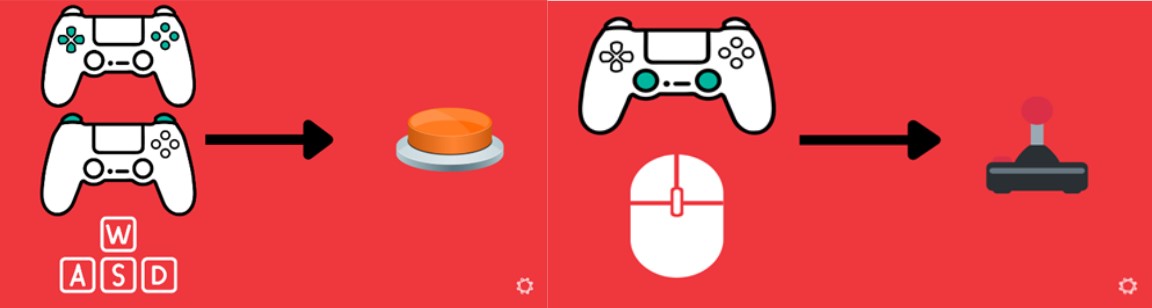
Assistive Technology in Gaming
Adaptive gaming ensures everyone can play, regardless of physical or cognitive challenges. It uses assistive technology (AT) to modify controllers, interfaces, and gameplay for greater accessibility.
There are three main ways to make gaming accessible:
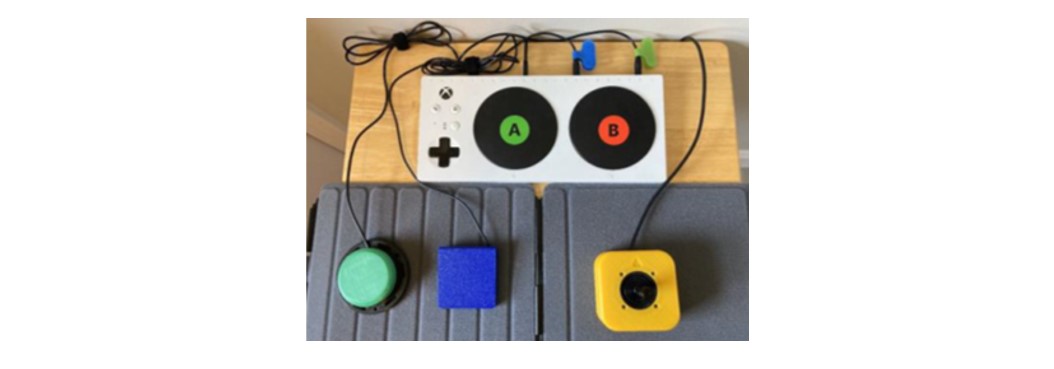
1. Alternative Access: Using non-traditional controllers such as adaptive switches, joysticks, sip and puff devices, or eye-tracking tools to play games.
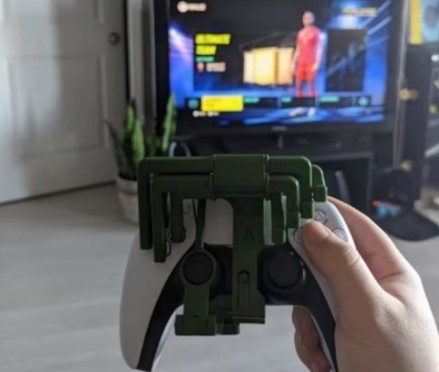
2. Controller Mods: Using DIY or commercial solutions to customize controller functionality for more comfortable gameplay.
3. Software: Leveraging features like Co-pilot mode, customizable button mapping, visual aids, and voice control to improve accessibility across games and platforms.
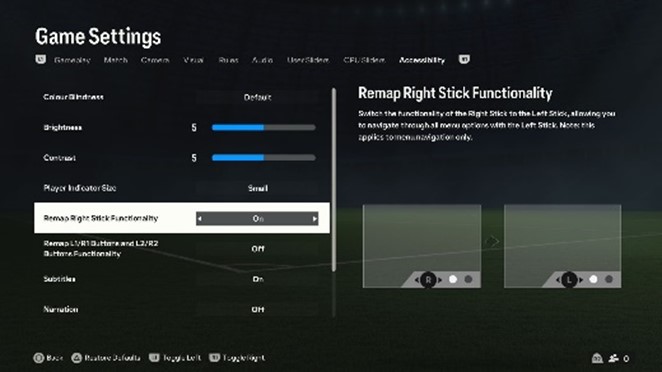
Possible Game Focused Events
As a GAME focused club, you may want to host an additional event that promotes inclusive gaming. One option is to organize an E-Sports tournament using adaptive controllers and the switches and joysticks your club has built. Another is to set up a booth in a public space where community members can experience the technology firsthand through interactive gameplay.
GAME Checkpoint Training – Gaming Training includes in-depth accessibility options for the 10 different games, which can be used for these events.
Additional Resources: Adaptive Gaming Gear Guide
Below are common adaptive controllers and accessories to explore as you get into adaptive gaming. These items may be useful for events or demos. (Note: These are just suggestions – there’s no requirement to purchase anything listed.)
For Xbox, PC, and Mobile
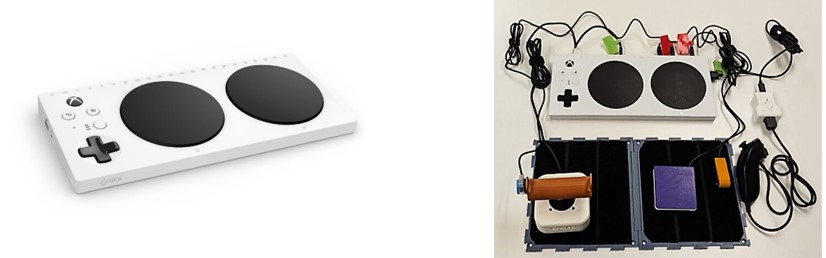
· An adaptive controller that can be hooked up to Xbox, PC, and mobile devices without an adapter
· Has an input port for every button and joystick on a standard Xbox controller for switches and TRRS joysticks
· Co-Pilot mode: Allows for two controllers to be registered as a single player
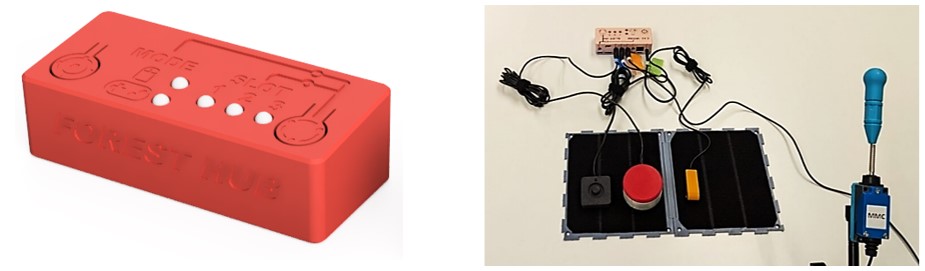
· Connects an analog joystick and up to four assistive switches
· Acts as either a USB Mouse or USB Gamepad
· Compatible with computers, tablets, mobile phones and the Xbox Adaptive Controller
For Nintendo Switch
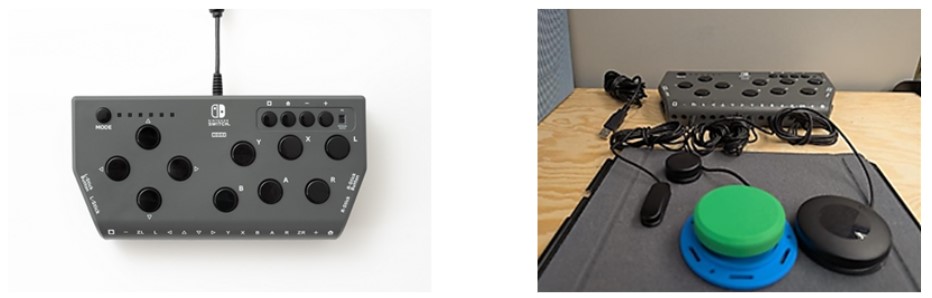
· An adaptive controller for Nintendo Switch 1 and 2
· Has an input port for every button and joystick on a standard set of joy cons for switches and USB joysticks
· Doesn’t allow multiple controllers under one player
XAC with Adapter - Recommended
· More diverse than HORI flex
· Offers Co-Pilot mode while HORI Flex does not
· Lower cost than HORI flex
· Compatible adapters for this include the Mayflash NS-2 and the Cronus Zen adapter
For PS5
· A modular adaptive controller with swappable buttons and stick options, an adjustable layout, and 4 expansion ports for additional switches and joysticks
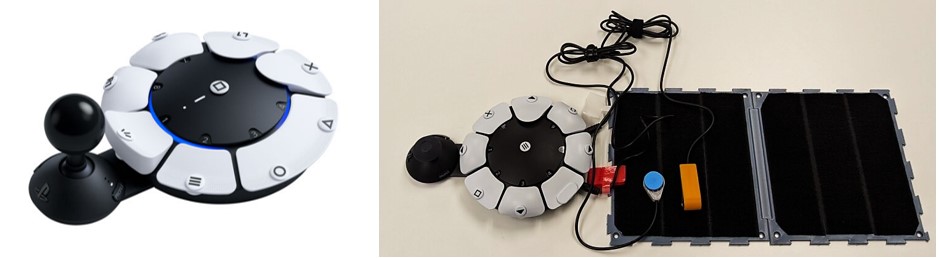
Adapters
Using “adapters” can allow you to use a controller on a system it does not natively connect to. For example, connecting an Xbox Adaptive Controller to a Nintendo Switch 1. This can be useful if a specific controller works well for someone, but it will not connect to their system directly.
· Allows for wired and wireless connection
· USB style plug and play adapter
· Only adapter that allows an Xbox Adaptive Controller to connect to a PS5 system.
· USB style plug and play adapter
· This adapter uses a verification controller method and also allows for more custom programming for controller specialization
Mounting
To learn more about different mounting techniques and options for controllers and alternate access devices, see GAME Checkpoint Training – Gaming Gear.
Explore More Online
For those interested in exploring further, here are a few more resources that you can look through:
Our GAME program along with information on GAME Checkpoints can be found here: Adaptive Gaming
A great website to learn more about adaptive gaming: Gaming Readapted | The Adaptive Gaming Resource
To find accessible games:
Success stories:
- GAME Checkpoint - GF Strong: https://www.youtube.com/watch?v=K66lpzpTknA